
 Explore
 Write
Write Chat
Chat Call
Call

Drop-in and join us online for a Zoom Open House! We’re excited to offer this first session of a new series featuring Zoom […]
OIT News
AI News
All News
July 2026

Adobe Creative Cloud Express Now Available for Students
The Office of Innovative Technologies is excited to announce that Adobe Creative Cloud Express is now available for students at […]
Related:

Upcoming Changes to Two-Factor Authentication Methods
Beginning on August 4, OneIT is changing two of the two-factor authentication methods. Bypass codes: What you need to do before August 4 Set up […]
Creating Your First AI Agent in the UT AI Hub: My Email Helper
The UT AI Hub makes it easy to create custom AI agents that help with everyday work. One useful example […]

Panopto Virtual Office Hours for Fall 2026
Do you have questions about Panopto, lecture recordings, video sharing, course copies, video editing, the Canvas-Panopto integration, quizzes, analytics, or […]

Have You Checked the Status Page Lately
Subscribe to this important resources, today. If you’ve ever wondered why a UT resource you are attempting to access is […]

Learn on the Go with the LinkedIn Learning Mobile App
The LinkedIn Learning mobile app makes professional development more flexible and accessible than ever! Whether you have five minutes between […]
Maple 2026 New Features
Maple by Maplesoft is a computational software platform used for engineering, science, mathematics, education, and other areas of technical research. Researchers commonly use Maple for modeling […]

Canvas New Quizzes: Enabled By Default
Canvas New Quizzes is now enabled by default in all Canvas courses. Many instructors had already activated New Quizzes, but […]

OIT Services to be Interrupted on July 19
The Office of Innovative Technologies will be performing network maintenance on Sunday, July 19, between 8:00 am and 10:00 AM […]
From Spreadsheets to Stories: Using AI to Visualize Higher Education Data
Higher education has no shortage of data. It appears in spreadsheets, survey exports, learning management systems, assessment reports, enrollment summaries, […]

Technology Support & Resources for New Faculty, Instructors, & GTAs
Share this website to help your new teaching staff get started. The Office of Innovative Technologies (OIT) offers help to […]
June 2026
UT Named Finalists for Three 2026 Awards by OnConference
The OneIT Team has been recognized as a finalist for several 2026 Top 100 Operations Team Awards, and we want […]
Related:

Comparing Answers from Different AI Models: A Simple Guide
Now that we have access to multiple AI models in the new UT AI Hub, it’s useful to compare how […]

IT Architecture Practice—Your Partner in IT Success
The Office of Innovative Technologies has established a new service—IT Architecture—to support the university’s digital modernization efforts. Our mission is to provide strategic architectural […]
Related:

MFA + Strong Passwords: Your Best Defense Against Account Attacks
Multi-factor authentication (MFA) adds an extra layer of protection to your accounts by requiring more than just a password to […]

Productivity Pulse: Summer Workflow Consultations for Fall Readiness
The OIT Training team is excited to introduce Productivity Pulse, a summer consulting initiative designed to help faculty and staff […]
Think Before You Type: AI Tools and Student Privacy
What everyone needs to know before using AI with university data Artificial intelligence tools are showing up everywhere—in our browsers, […]
Related:

Fall Canvas Course Shells Now Available
We know you are anxious to get started with your Fall 2026 course development in Canvas. The course shells are […]
Related:

Standard for Retaining Canvas Courses
At the end of the fall semester, OIT will implement a new Canvas course archiving and retention standard for official […]

Purchasing Microsoft Add-ins Is as Easy as 1-2-3
1. Review the software catalog.The Microsoft License Request website features an easy-to-use online order form along with a list of […]
Related:
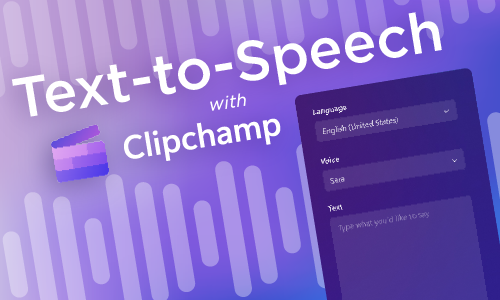
Using Microsoft Clipchamp for AI-Voiced Text-to-Speech
Does your voice sound off when you record? Would you prefer a polished, professional sounding voice instead? Try Microsoft Clipchamp for recording text-to-speech audio voiceovers. Clipchamp is available […]
Three Easy Ways to Embed PowerPoint Slides in Canvas
Embedding PowerPoint slides directly into Canvas can help create a more seamless and accessible learning experience for students. By placing […]
Related:

Summer Prep for Your Fall Canvas Courses
Summer is here, and for instructors, this is the time to prepare your course materials for the upcoming Fall semester. […]

New Features of Mplus Version 9
Mplus is a comprehensive, syntax-based statistical modeling software program designed to help researchers analyze complex data. It is widely used […]
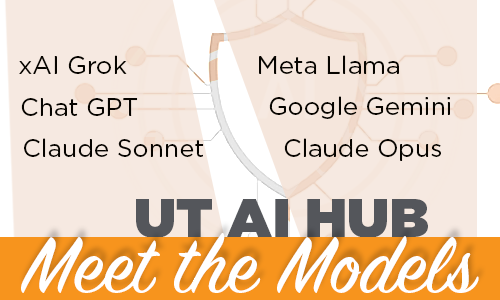
UT AI Hub: One Login, Many Models
The new UT AI Hub provides students, faculty, and staff with a simple way to use AI for real campus […]
May 2026

Upgrading How Campus Systems Send Email: Here’s What You Need to Know
If you manage a department copier, sensor, or any application that sends automated emails—think scan-to-email, alerting, and system notification—this update […]
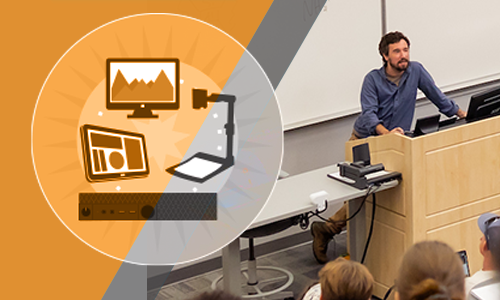
Teaching This Summer? Use classrooms.utk.edu
If you need help with using the technology in your classroom, check out the classrooms.utk.edu website. You’ll find individualized guides for every campus-hosted classroom as well as general resources […]
Discover Four Simple Ways AI Can Save You Time
Are you looking for ways to save time in your busy schedule? Consider leveraging University-sanctioned AI-powered platforms: UT AI Hub, […]

Auto-Email Reply: What to Expect When Reporting Spam
To promote a positive user experience, timely responses, and clear transparency across campus, the OIT Security team maintains an automatic […]

HelpDesk Support Hours Update
To better align support coverage with campus needs and provide more consistent service, OIT will update the HelpDesk support hours […]

Josh Price Named Executive Director of Research Computing
We are pleased to announce that Josh Price has been promoted to Executive Director of Research Computing within OneIT (UT […]

Leaving UT? Prepare Before Losing Access to Your Research Software
When students, faculty, and staff leave the University of Tennessee, access to all research software, including ArcGIS and Qualtrics, will end on your Left […]
Access to Canvas Restored
Last week’s nationwide Canvas incident evolved from a previously disclosed cybersecurity event into a temporary service disruption affecting login access […]

Accessibility Features in Zoom
Zoom offers a wide range of accessibility features designed to support instructors in facilitating online classrooms and virtual meetings. These […]
New Canvas Course Accessibility Checker
Instructure, the company behind Canvas, has introduced a new tool, the Course Accessibility Checker, now available in all Canvas courses. […]
Training That Holds Up Over Time
Online learning experiences often need to do more than deliver information once. Policies change, tools evolve, and learners return at […]
Accessibility Made Easy
Canvas Course Accessibility Checklist When developing content in Online@UT (Canvas), it is easy to adopt design habits that may appear […]
Choosing the Right Survey Tool: Microsoft Forms or Qualtrics
If you need to collect information, feedback, or responses, and aren’t sure whether to use Microsoft Forms or Qualtrics, you […]
AI Writing Tips: Part 1—Don’t Make AI Think for You
To move beyond mediocre, “robotic” writing, stop asking the AI to think for you; instead, ask it to build with […]
AI Writing Tips: Part 2—Don’t Make AI Think for You
Continuing from last week’s article about AI writing, here are four more ideas to help you use AI for writing. […]
Nationwide Security Breach Involving Canvas
The Office of Innovative Technologies (OIT) is aware of a nationwide cybersecurity incident involving Canvas, the University of Tennessee, Knoxville’s learning […]

ArcGIS Online: Things to Know Before You Leave
If you are a student, faculty, or staff member with ArcGIS Online content, you must manage your ArcGIS Online content […]
April 2026

Best Practices for Managing Your ISAAC Data
We want to help you get the most out of ISAAC-NG. Here are a few friendly reminders and tips to […]
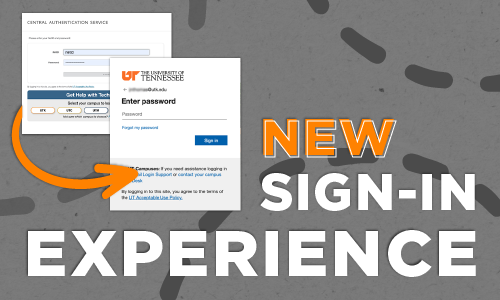
May 27: New Sign-In Experience Begins
Reminder: On May 27, 2026, the Office of Innovative Technologies (OIT) will update how you sign in to many UT […]

Stay Connected to LinkedIn Learning After Graduation
Graduating students are encouraged to merge their personal LinkedIn accounts with their UTK LinkedIn Learning accounts prior to graduation. Doing […]
Accessibility Made Easy
Canvas Course Accessibility Checklist When developing content in Online@UT (Canvas), it is easy to adopt design habits that may appear […]
AI WRITING TIPS: Part 2—Don’t Make AI Think for You
Continuing from last week’s article about AI writing, here are four more ideas to help you use AI for writing. […]

Intune: New Mac Onboarding Process
Beginning April 2026, the onboarding process for newly purchased Mac devices is changing as part of the university’s ongoing Intune […]
Related:
AI WRITING TIPS: Part 1—Don’t Make AI Think for You
To move beyond mediocre, “robotic” writing, stop asking the AI to think for you, instead ask it to build with […]

A New Era of Portfolios: Introducing Canvas Portfolio
Canvas is retiring two older portfolio tools—Canvas ePortfolios and Portfolium’s Folio—and replacing them with a new experience called Canvas Portfolio. […]

Work Smarter with the New UT AI Hub
The UT System Department of Technology Solutions and Office of Innovative Technologies are pleased to announce the launch of the […]

Microsoft Excel and Accessibility
When you’re updating your Microsoft PowerPoint and Word documents for accessibility, remember to make your Excel Worksheets accessible as well. […]
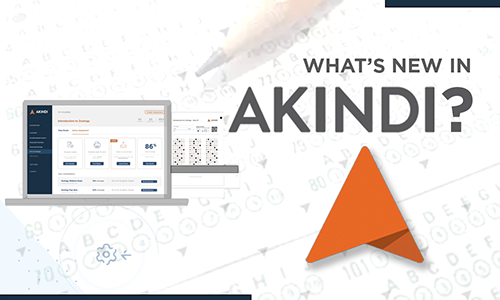
New Akindi Features
Akindi, an exam-generating, scanning, and scoring platform integrated with Canvas, has introduced several new features that make it easier for […]
Use UT Canvas Support Documentation
The Canvas Support Team recommends using official UT Knoxville Canvas documentation whenever you need instructions or troubleshooting help. While guides […]
OIT Manuscript Coauthorship for Academic Research
The Research Computing Support (RCS) team within the Office of Innovative Technologies provides manuscript coauthorship for academic research papers. When […]

Students: Prepare for Life after UT
Congratulations Grads! With graduation just around the corner, you may be wondering what you will have access to—and for how long—once […]
March 2026
Featured Software: SAS 9.4 M9
SAS, developed by SAS Institute, Inc., is a sophisticated statistical software suite for data management, analytics, access, and visualization. SAS […]
AI Insights: Connect UT Verse with OneDrive and SharePoint
UT Verse just got smarter. Data Bridge is the newest way to connect your work directly to the UT Verse […]
Important DASH Address Verification Updates
Update (3/16/2026) Reminder to Complete Your DASH Address Verification If you haven’t completed your DASH Journey for home address verification, please […]
AI Insights: The Power of Parallel—Presenting Ideas Clearly with Columns
Multi-column layouts let you organize information, so readers can compare options or quickly scan parallel topics. UT Verse can display […]

New Automated Email Response When Reporting Spam
To enhance our response process and improve transparency for the campus community, the Office of Information Technology (OIT) Security team […]

Power Up Your Degree with Industry-Ready Skills: LinkedIn Learning Professional Certificates
LinkedIn Learning is advancing professional development in higher education through its Professional Certificate program, which helps learners build job-ready skills […]

Helping Students Stay Organized in Online@UT (Canvas)
As the semester progresses, it is common for students to feel overwhelmed and lose track of assignments, due dates, and […]
Online@UT (Canvas): New Tools and Updates
Explore the latest tools and updates happening in Online@UT (Canvas) Surveys in New Quizzes A new quiz type, Surveys, has […]
Accessible PDFs with LaTeX and Overleaf
With the Title II rule on digital accessibility approaching, Overleaf has announced practical ways for researchers to create tagged PDFs. […]
UT Verse: Download a Chat as a Word Document
In the digital age, communication often takes place through various chat platforms. At the University of Tennessee, UT Verse is […]
Symposium Registration Deadline Extended to March 10
Register and Reserve Your Spot!
March 24-26, 2026, at the Knoxville Convention Center.

OIT Manuscript Coauthorship for Academic Research
Did you know that the Research Computing Support (RCS) team within the Office of Innovative Technologies provides manuscript coauthorship for […]
February 2026
Reference Lists and Bibliographies using UT Verse
Creating a clean bibliography or reference list is easy with UT Verse, which helps organize and format references quickly. It […]
Related:
New Sign-In Experience Coming May 27
On May 27, 2026, the Office of Innovative Technologies (OIT) will update how you sign in to many UT applications, […]
Dryad Data Repository for UT Researchers
UT researchers can now deposit research datasets in Dryad, an open dataset publishing platform, at no cost through a new […]
Let UT Verse Create Tables from Your Content
UT Verse can help you quickly turn your existing information into a clear, organized table. If you’ve ever copied text […]
AI Insights: Work Smarter, Not Harder
There’s been plenty of talk about Artificial Intelligence (AI) lately, and it’s easy to wonder what it really means for […]
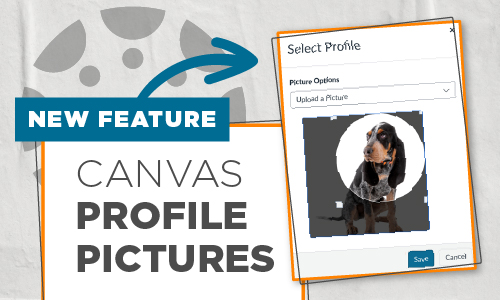
Canvas Profile Pictures Now Available
A feature recently enabled within our Online@UT (Canvas) environment is already gaining positive traction. If you haven’t started seeing user […]

Survey Design: Ranking vs. Rating
Survey design focuses on building structured instruments that allow concepts to be measured and analyzed. The way you ask a […]

Designing Training That Works for Everyone
Conversations about accessibility are top of mind across campus, reflecting a shared commitment to access and engagement in learning. In […]

Organize Zoom Content with Meeting Summary Templates
The Zoom AI Companion includes the meeting summary feature, which provides hosts with a text summary of topics covered in […]

Try Using UT Verse Smart Features
UT Verse offers a suite of intelligent features designed to make your interactions with AI more efficient, personalized, and productive. […]
January 2026

Registration is Now Open for the 2026 UT Innovative Technologies Symposium
Register and Reserve Your Spot!
March 24-26, 2026, at the Knoxville Convention Center.
Announcing Our Keynote Speaker: Michael Shepherd
We are thrilled to welcome Michael Shepherd, Senior Distinguished Engineer and Services CTO at Dell, as the keynote speaker at […]
AI Insights: Using UT Verse to work with Documents
Imagine having a tool that not only reads your documents, but also quickly analyzes and summarizes them, making it easier […]
Symposium Update: Call for Presenters Deadline Extended
Send us a brief description of your proposed topic before Friday, January 30. We hope that you will consider sharing […]
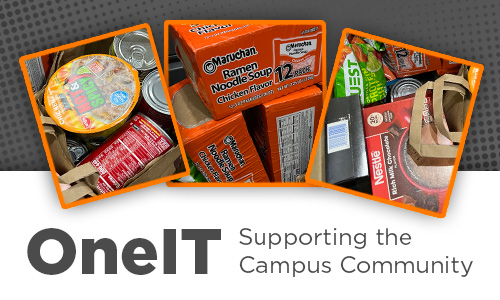
OneIT Supports the Campus Community with Generosity and Connection
To kick off 2026, technology support staff from UT Knoxville’s Office of Innovative Technologies and the UT System’s Department of Technology Solutions, a collective […]

Start of Semester Last-Minute Checklist
We have created a quick checklist to ensure your technology is ready for the first day of classes. Check Your […]
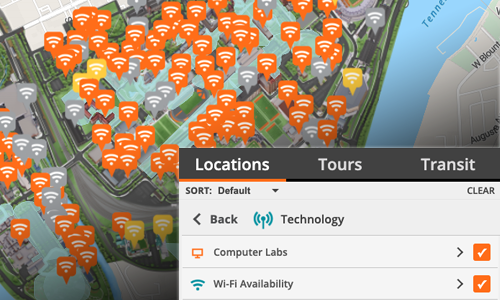
Finding Technology Around Campus
Did you know you can use University Campus Map to locate outdoor WiFi hotspots near your current location? That means […]

Checked Your Zoom Meeting Settings Lately?
With the new school year underway, we want to remind you of a few simple security settings and practices you […]

For Secure Wi-Fi, Choose Eduroam
When accessing the wireless network from campus, OIT recommends connecting to eduroam, the university’s secure Wi-Fi network, for faster and more secure […]

Use Your UT Account to Sign In to Zoom
If you are having trouble getting into a virtual class or meeting on Zoom, be sure to sign in with […]
AI Tip: Introducing Thread Folders
A Smarter Way to Organize Your UT Verse Conversations Whether you manage dozens or hundreds of conversations, this new tool in […]

High Performance Computing Workshops
OIT High Performance and Scientific Computing is hosting a workshop series this semester focusing on utilizing ISAAC resources effectively. These sessions will […]

Asynchronous GTA Canvas Guide
In support of UT Knoxville’s graduate teaching assistants (GTAs) who co-teach and rely on Online@UT (Canvas) to organize and manage […]
Featured Software: JMP Student Edition Based on JMP Pro 19
JMP is comprehensive software for experimental design, statistical analysis, and data visualization. JMP Student Edition is based on features in JMP Pro […]

YuJa Verity Test Proctoring Platform
YuJa Verity is the new proctoring software integrated within Online@UT (Canvas) for proctoring online assessments. YuJa Verity is a secure, […]

Communicate Clearly and Professionally
Good communication saves time for everyone, and UT Verse can help you get it right on the first try. Visit […]
Grant Opportunity Available for PointSolutions Users
The 2026 EchoImpact Grant Application is now open! Faculty or staff currently using PointSolutions in their courses are invited to apply. EchoImpacts Grants support research on how EchosystemTM solutions impact equity, evidence, and engagement in any […]

Request a Classroom Technology Consultation Today
Get ready before classes begin on Jan 19. Tell your colleagues! Appointments available January 7 through January 16. With spring […]

ACCESSIBILITY MADE EASY
This spring semester, in each issue of OIT Weekly, we will be presenting “Accessibility Made Easy” technology tips to help […]

Changes to the Academic Course Linux Environment
If you teach web-based courses requiring students to create websites, we have a new process to share with you. In […]
Spring Transition to OptiSigns
We are pleased to announce that OptiSigns will replace Hypersign as the University’s digital signage platform. This upgrade will enhance how we share information […]

Join Us Online January 15 and 16 for the Spring 2026 Zoom Test Flights!
These sessions allow an opportunity for you to test your device with Zoom before classes start. The session dates and […]
From Stressed to Your Best: A Practical Guide for Starting 2026
Let UT Verse, UT’s proprietary AI assistant, help you start the new year more organized, less stressed, and ready to […]
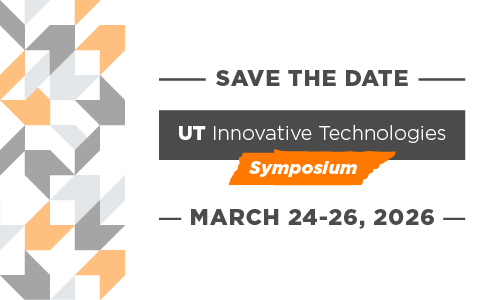
Join Us at the Third Annual UT Innovative Technologies Symposium in 2026!
SAVE-THE-DATES When: March 24-26, 2026 Where: Knoxville Convention Center at 701 Henley St, Knoxville, TN 37902 Who says there is […]

Invitation to Present at the 2026 UT Innovative Technologies Symposium
The Call for Presenters is Now Closed. Your expertise is needed! We hope that you will consider sharing your unique […]
December 2025

Zoom Updates Coming in 2026
OIT is excited to announce some changes coming to the UT Zoom system on January 13, 2026. Redesigned Home Page […]

Countdown to the Holidays: Let AI Help Make Room for Memories
We’re almost there! With just a short few days left until Christmas and winter break gatherings, it’s completely normal if […]
Improved Email Response When Reporting Spam
Beginning January 28, the University of Tennessee will enable a new feature that provides automatic responses when you report a […]
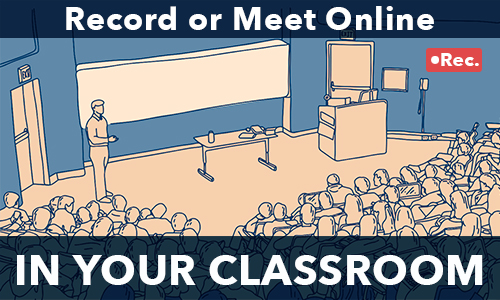
Determine Your Classroom Recording Needs Now for a Successful Spring
Special speakers, students out sick, and traveling instructors all require times when a class needs to be recorded or have […]

Speak Up—How Your Microphone Transforms the UT Verse Experience
Technology on campus is constantly evolving, and the University of Tennessee’s UT Verse platform is helping lead to that change. […]

The 12 Days of Training Tips
A Holiday Guide to Better Online Learning As the year wraps up, why not give your learners the gift of […]
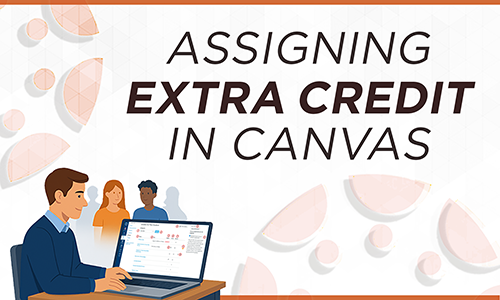
Assigning Extra Credit in Canvas
Extra credit refers to points awarded to students that go beyond the regular maximum score on course assessments. While Canvas […]

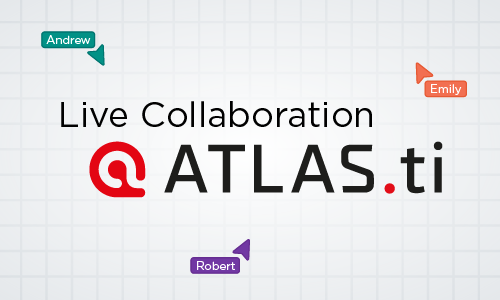
Live Collaboration in ATLAS.ti Web for Qualitative Research
Did you know that UTK provides access to both the desktop and web versions of ATLAS.ti for faculty, staff, and […]
Students: Prepare for Life After UT
Congratulations Grads! With graduation just around the corner, you may be wondering what you will have access to (and for how […]

Using Grade Posting Policy to Manage When Students See Their Grades
By default, Canvas shares grades with students as soon as they are entered in the gradebook. This makes a lot […]

Merging Your LinkedIn Accounts and AI-Powered Coaching
Connect Your LinkedIn Account for Seamless Access Did you know you can connect your personal LinkedIn account with your UTK […]
November 2025
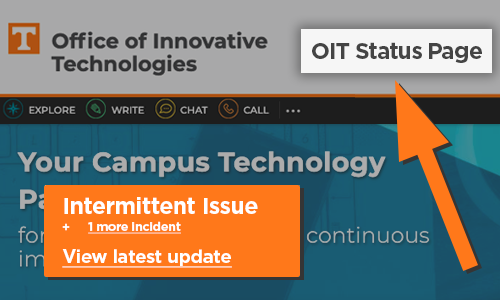
Who Are You Going to Call?
Is your favorite software tool not working today?Is the web site you need to get to slow or unresponsive? Before […]
UT Verse—Personalized Learning for All
Faculty today face classrooms with students from varied backgrounds, language abilities, and academic levels. Meeting these diverse needs can be […]

Mark Your Calendar: Banner Will Be Unavailable for Maintenance
Access to all Banner services, including Self-Service, Administration Pages, registration, advising, and fee payments, will be unavailable beginning Friday, November […]

Canvas Course Availability
For Winter Mini-Term and Spring 2026 Winter Mini-Term 2026 and Spring 2026 Canvas course shells were created on November 5. Please […]

Make Your Research Run Faster
Hands-on help from proposal to results. About Our Service High Performance Scientific Computing (HPSC) works with researchers who need specialized […]

Using Enhanced Rubrics for End of Semester Grading
As the Fall Semester begins to wind down, you may be planning those final projects and assignments and deciding how […]
Canvas Mastery Paths: Customizing Learning to Boost Student Success
What are Canvas Mastery Paths? Mastery Paths allow instructors to customize, differentiate, and scaffold students’ learning experiences based on their […]

Featured Research Software: Mathematica
Mathematica is available for download for all UTK, UTS, and UTHSC students, faculty, and staff from the OIT Software Distribution […]

Overleaf Professional—The Wait is Over
As of November 10, 2025, you may access the University of Tennessee, Knoxville Overleaf Portal by logging in via SSO […]

Microsoft Bookings—Personal Booking Page
Have you been looking for an easy way for individuals to book a 1:1 appointment with you? Or perhaps you […]
October 2025

A Few Practical Ways to Use UT Verse
Are you seeking new ways to support your students’ learning or to enhance the efficiency of your instructional efforts? Generative AI […]

macOS Tahoe—Wait Before You Upgrade
Apple has released its latest desktop operating system, macOS Tahoe, also known as macOS 26. As always, OIT recommends caution when […]

Time to Submit Course Video Requests for Spring 2026
Do you plan on showing films in your class? Do you need part of a book scanned, too? Don’t wait […]

The Hidden Threat in Your Vendor Relationships
You wouldn’t hand your office keys to a stranger, but every time our university uses a third-party vendor or software […]

Safer Generative AI Practices
National Cybersecurity Awareness Month Artificial Intelligence (AI) is becoming a big part of our daily lives, helping with things like […]

Commencement Webcast Requests? Don’t Delay, Submit Today!
Does your department or college have an upcoming commencement ceremony that they’d like to share with a virtual audience? OIT […]
UT Annual Compliance Training
October is National Cybersecurity Awareness Month.It’s a timely opportunity to assess your cybersecurity knowledge and complete part of your required […]

Social Engineering
National Cybersecurity Awareness Month When most people think of cyber threats, they picture hackers using technical tools to break intosystems. […]
Meet the OIT AI Team at Educause
If you are attending this year’s upcoming Educause Annual Conference in Nashville, you won’t want to miss the opportunity to […]
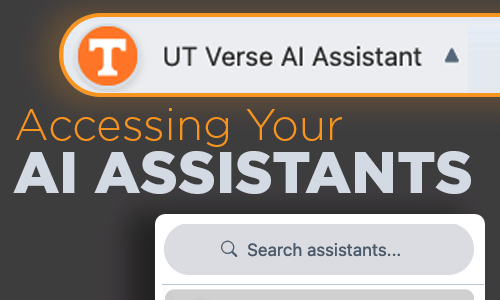
How to Call on Your AI Assistants
An AI Assistant is like having a personal helper who understands your requests and provides smart, fast solutions—whether you’re drafting […]

Strategic Computing Investment with HPSC
Add Capacity Without Running Your Own Servers Faculty and other University researchers may purchase compute nodes to be placed in […]

UT Libraries is a Partner in Student Success
Teaching Research Skills Librarians are available for classroom or remote instruction on a broad range of topics, including information literacy, […]

UT Canvas Catalog: Supporting Non-Credit Education and Training for UTK Students
UT Canvas Catalog is a powerful learning platform that helps many colleges, departments, and units at the University of Tennessee, […]
Related:

Canvas Security: Take Care When Manually Adding Users to Courses
Within Online@UT (Canvas), Primary Instructors have permissions to manually enroll users into their Canvas courses. When an instructor needs to […]
Related:

Refresh and Review: Zoom Security Settings
As we progress into Fall, let’s review Zoom’s security settings and additional controls that help with managing your meetings. As […]
September 2025

Help Shape National Research Policy
Send Us Your Feedback on the Proposed Research Cybersecurity Guidelines National Research Policy Guidelines have been developed as part of […]

UT Verse + Context Engineering = Powerful AI
Do you want your AI chats to land closer to the mark on the first try?Think context engineering; the art […]

Revolutionize Your Teaching and Content Creation
Get ready to explore innovative sessions such as “Canvas: New Functions, Best Practices, and Helpful Hints” and “Panopto Essentials: Creating, […]

Top 5 Practices to Stay Secure in Classrooms
Staying secure in your classroom keeps you and your students’ data safe while ensuring your classroom technology runs more smoothly. […]

Empower Your Voice with UT Verse
Imagine having a study partner who never sleeps. That’s what UT Verse offers—a tool to enhance, not replace, your efforts. […]

New AI Features within Canvas
OIT has enabled three new features in Online@UT (Canvas) utilizing generative AI: Smart Search, Discussion Summaries, and Khanmigo Teacher Tools. […]
What’s New in MATLAB 2025a
MATLAB R2025a, released in May 2025, introduces a new desktop layout with customizable sidebars for accessing tools like the Debugger, […]
OIT Support for Research Proposals and Grants
OIT High Performance & Scientific Computing (HPSC) provides research computing resources and services to the university community, including: ISAAC is […]
Software for Faculty, Staff, and Students
UT maintains contracts with many software providers to provide faculty, staff, and students access to these school, work, and academic […]

Acceptable Use of OIT Research Software
The University of Tennessee provides access to many types of centrally funded research software. Centrally funded software is available for […]

Artificial Intelligence at UT: What You Need to Know
Artificial intelligence (AI) is becoming a bigger part of daily life at UT. Even if you feel late to the […]

Stay Up to Date with OIT News
“Oh, why didn’t I know that would affect my upcoming exam?” “Wow, we have access to so much available research […]

Fall 2025 Training Day
Empower Your Skills with OIT Supported Technologies 16 Workshops on Thursday, October 16 at the Student Union Enhance your technical […]

Zoom Tips for Fall 2025
With the fall semester underway, let’s review a few noteworthy items to avoid unexpected interruptions while using LiveOnline@UT (Zoom). End […]
Related:
How to Converse with AI: A Quick Overview on Prompting
Albert Einstein is quoted as saying: “If I had an hour to solve a problem, I’d spend 55 minutes thinking […]
Notable New Features in Akindi
Akindi is a web-based assessment system that automates the creation and grading of multiple-choice examinations. It is accessible through Canvas […]
Related:
UT Verse—Continuous Improvements
Every week, countless new things happen in the field of AI, and we are committed to continuing our advancements as […]

Veteran Voices, Virtual Learning: Online Green Zone Training
In proud support of UT’s veteran scholars, the Office of Innovative Technologies (OIT) recently partnered with the Veterans Success Center […]
Course Nicknames in Canvas
Canvas courses take their Course Names from the course listing in the UTK Timetable. Instructors may prefer to edit the […]
Related:

Learning UT Verse Via Vodcasts
UT Verse: AI Unplugged is a new vodcast series from the University of Tennessee’s Office of Innovative Technologies. Each episode […]
Related:

Introducing the OIT 2024 Annual Report
At the heart of every successful organization is a trusted IT partner—one that aligns secure and efficient technology solutions with […]
August 2025
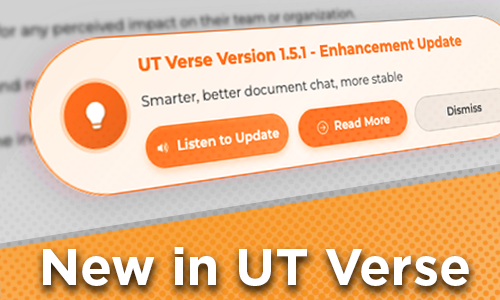
How to Check for UT Verse Updates
If you’ve been offline over the summer break, find out about recent updates Upon signing in to UT Verse, a […]
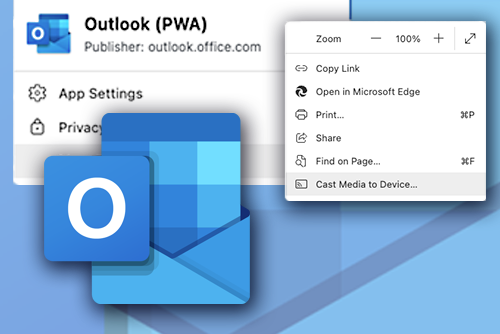
Outlook (PWA): A Streamlined Way to Access Your Email
Microsoft Outlook Progressive Web App (PWA) offers a seamless way to access your email directly from your browser, eliminating the […]

New Classroom Accessibility Resources
We’ve launched a new Classroom Accessibility section on classrooms.utk.edu to support instructors and students of all abilities physically accessing classrooms. Look for the Accessibility button on any […]
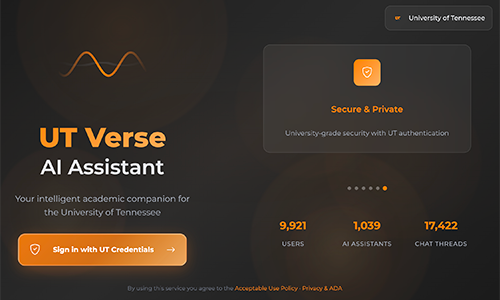
UT Verse: Using Role-based Prompts to Tailor Responses
UT Verse, the University of Tennessee’s AI Assistant, adapts its responses based on the role you provide. Here are […]

Getting IT Help from the OIT HelpDesk
The Office of Innovative Technologies (OIT) HelpDesk is here to make your tech troubles disappear. Whether you’re locked out of […]

Get the Best UTK Wi-Fi Connection on Campus
Connect to eduroam Access UT’s secure wireless connection by choosing the eduroam network as your primary wireless network while on […]
AI and Teaching & Learning
Are wondering how you can incorporate artificial intelligence (AI) into your course? Watch this short new OIT video featuring UT’s own […]
Related:

Learn High Performance Computing this Fall
OIT High Performance and Scientific Computing (HPSC) is hosting a workshop series this semester focusing on utilizing ISAAC resources effectively. […]
Your Conversations are Private: UT Verse Chats are Not Used for AI Training
UT Verse was developed with a strong emphasis on safeguarding user data and ensuring privacy for the University of Tennessee […]
Related:
OIT’s Essential Tech Guide for New Students
The Office of Innovative Technologies (OIT) can answer your questions about passwords, Duo (two-factor), Outlook email, software, wired and wireless […]
Spring 2026 Zoom Test Flights
Join us online January 15 and 16 for the Spring 2026 Zoom Test Flights. These sessions allow an opportunity for you to test your device with […]

Keeping Content Within Canvas Pages
It’s exciting to work on adding content to your Canvas course site, especially at the start of the semester! As […]

What’s New in Canvas
With the start of Fall classes, it’s time to put the finishing touches on your courses. Be sure to check […]
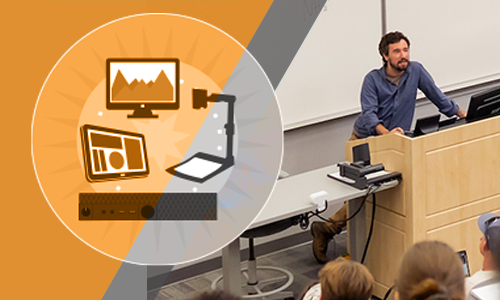
Countdown to Classroom Technology Training
We want you feeling confident about your first day teaching in a new classroom! Once you know your building and […]

Register for Fundamentals of HPC for Bioinformatics
Graduate Students, Faculty, Researchers—Add this pre-fall semester workshop series to your calendar.
Engage your Students with PointSolutions
What strategies will you implement this fall to engage your students, promote active learning, and sustain their attention? PointSolutions, also […]
Related:
July 2025

Four Ways UT Verse Can Help with Class Planning
Class planning isn’t just about creating syllabi. It’s about clarifying goals, inspiring students, and choosing where to spend your limited […]

Akindi: Create Question & Bubble Sheets
Akindi is making it faster and easier for instructors to run multiple version paper assessments. By using Question & Bubble […]

Canvas New Quizzes Enhancements—Navigation and Text Block
Two enhancements have recently been made to New Quizzes within Canvas. The first enhancement is navigational. New Quizzes now show […]

Check Your Canvas Dashboard
Exciting news! This summer, we’ve started a new communication initiative within Canvas. Now, every week on your Canvas Dashboard, you’ll […]

Does Your Department Need Help Transitioning to Microsoft?
Request Customized Training for Your Department The Office of Innovative Technologies (OIT) provides tailored, in-person or live, online departmental training […]

Multilevel Modeling Support Available
Multilevel models (MLM), also known as hierarchical linear models, are statistical techniques used to analyze nested data, data structured on […]
June 2025
Entering a New Era in the UT Verse
Thanks to the continued support and vision of our senior leadership, since 2023, the University of Tennessee has become a […]

Learning SAS via SAS e-Learning
SAS, from SAS Institute, is a leading analytic software suite for data management, statistical analysis, and data visualization. The latest SAS […]

Canvas: Bulk Edit Assignment Dates
Every semester, after you’ve copied content from your last course to the current one, it’s time to go through and […]

Zoom: In-Meeting Views and Recording Layouts
Zoom meeting hosts and participants may change their view in real-time, adjusting the display of content and webcams to suit […]

OIT and Student Success Help Give Vols a Leading Edge
When it comes to life after graduation, UT Knoxville students now have even more opportunities to develop an edge over […]
Hello, UT Verse: What’s New?
UT Verse just got a major upgrade—easier and more powerful than ever. You can now use real-time speech-to-text, capture images […]
Stata 19: Latest Features and Enhancements
StataCorp has officially released Stata 19, a powerful upgrade packed with new features designed to expand analytical capabilities, enhance user […]

OIT Identity Verification Measures
As part of our ongoing commitment to the security of our campus community, the Office of Innovative Technologies (OIT) would […]
Proceed with Caution When Using ChatGPT and AI Services
With the introduction of ChatGPT and other AI services, there is a great deal of fascination with the technology. As […]
May 2025

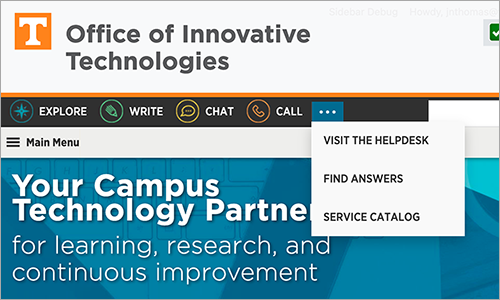
How to Request Help from OIT
Whether you need assistance with Duo, UT email, network, software, hardware, or anything else related to using your technology, reach out […]
Learn More About UT Verse
You won’t want to miss these two upcoming UT Verse learning opportunities! UT Verse Week: AI Training June 9–13 This […]
Students: Prepare for Life After UT
Congratulations Grads! With graduation just around the corner, you may be wondering what you will have access to (and for how […]

Using LinkedIn Learning as a Teaching Tool
LinkedIn Learning is a fantastic resource available to UT Knoxville* faculty, staff, and students. It has many important and wonderful […]

Teams Premium: New Feature
Managing What Attendees See in Meetings Now that Microsoft Teams Premium is available, you can further streamline your meetings with […]

Canvas: Viewing Student Group Uploaded Assignments
Student group work is known to promote active learning and engagement. However, there are some instances when unexpected disputes happen […]
Announcing UT Verse Week: AI Training June 9-13
The Office of Innovative Technologies invites you to UT Verse Week from June 9–13. These 90 minute virtual workshops ensure […]

Relax for Success: A Five-Video Series from LinkedIn Learning
As we approach the end of the semester, it is important to remember self-care to keep yourself healthy, organized, and […]

Don’t Lose Out on Valuable Clickers Grades and Extra Points
Most instructors have a deadline of two weeks after the start of classes for students to register their clickers. Some […]

For Students: Top Seven Tech-Checks to Test Before Finals
Finals are upon us, and as you prepare for the end of the semester, consider using this checklist to reduce […]
April 2025

Computer Sign in Change for Windows Users
On May 21, the OIT Information Security team will implement the Ctrl+Alt+Delete keystroke sequence for signing in to all UT-owned […]

UT Verse Vodcast Launching May 13
Great news! We’re excited to announce our brand-new vodcast series, UT Verse Unplugged! Every two weeks, we’ll share simple tips and […]

AI Isn’t What You Think—It’s Better
Metaphors matter. Some people are discovering that rethinking how we describe AI can open up entirely new ways to work […]
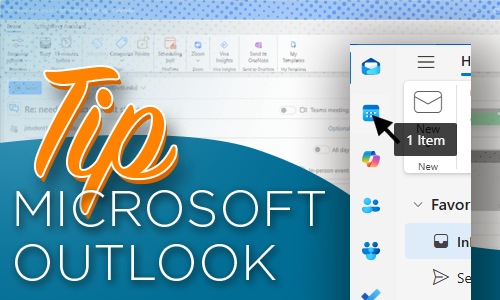
Create a Calendar Meeting from an Email in Outlook
Do you ever have an email that includes times to meet someone but there’s not a calendar invitation associated with […]

UT Vault 2.0 Coming This Week
On April 9, 2025, the Office of Innovative Technologies will release a new secure file transfer service along with a […]

Using ‘Copy To’ Instead of ‘Course Copy’ in Canvas
The Canvas Course Copy feature is an effective way for instructors to copy some or all their course materials from […]

Summer Canvas Course Shells Now Available
We know you are anxious to get started with your Mini- and Summer-term course development in Canvas. The course shells […]
Unlocking the Potential of Canvas Catalog
Did you know that several University of Tennessee, Knoxville’s colleges, departments, and administrative units are leveraging the power of UT […]

Leaving UT? Prepare Before Losing Access to Your Research Software
When students, faculty, and staff leave the University of Tennessee, access to all research software, including ArcGIS and Qualtrics, will end on your Left […]

Create a Calendar Meeting from an Email in Outlook
Do you ever have an email that includes times to meet someone but there’s not a calendar invitation associated with […]
March 2025

Zoom: Co-Host and Alternative Host—What’s the Difference?
Our UT Zoom meeting environment supports several user roles, including the leader or host, a co-host, and an alternative host. […]

Impact Learners with OIT’s Training Development Services
Do you want to elevate your training programs or bring your training ideas to life? OIT offers training development assistance […]
UT Verse: New Online Search Features
Did you know that UT Verse can now perform web searches, analyze its findings and provide sources and citations in […]

Microsoft Teams Premium Has Arrived
As part of our continuous innovation efforts, the Office of Innovative Technologies (OIT) is excited to introduce Microsoft Teams Premium […]

Downloading Rubric Scores in Canvas
If you use rubrics in your Canvas course sites, there’s a new feature available: the ability to bulk download rubric […]
January 2025
Spring 2025 High Performance and Scientific Computing Workshops
HPSC workshop series begins on February 3 OIT High Performance and Scientific Computing (HPSC) is hosting a workshop series this semester […]
Register to Attend the 2025 UT Innovative Technologies Symposium
UT Innovative Technologies Symposium
December 2024
Intune Configuration Policy Change: BitLocker Required for All Windows Computers
As part of our ongoing commitment to data security, on December 16, 2024, we are requiring the use of BitLocker […]