Explore
 Write
Write Chat
Chat Call
Call
OIT News
Service navigation
Better Inbox Management is Here
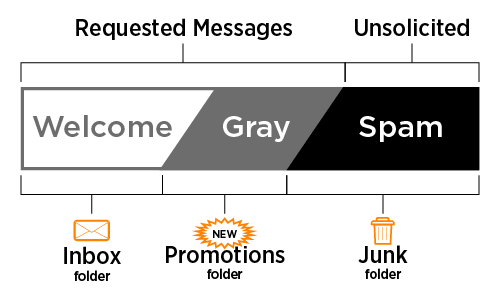
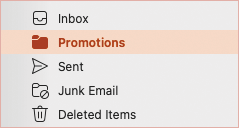
OneIT is making a change to keep your inbox free of clutter by automatically redirecting graymail to a separate folder. Graymail is email from real, legitimate senders that you may have signed up to receive but do not regularly read. Examples include emails from vendors, store promotions, newsletters, and advertisements. In Outlook, these emails will be available in your new Promotions folder. Students using Gmail will have a Graymail folder, not a Promotions folder.
Look for the Promotions folder in your mailbox starting in Wednesday, August 26.
Teach the system how to handle YOUR Graymail
- The Promotions/Graymail folder: Your new Promotions folder will automatically appear in Outlook (Graymail for Gmail) once this feature is enabled. External newsletters, subscriptions, and marketing emails will automatically move to that folder rather than remain in your Inbox.
Tip: For easy access, you can add the Promotions folder to your Favorites list in Outlook.
- Zero Deletions: No messages will be auto-deleted. Messages sent to your Promotions/Graymail folder will remain available.
- Review your Promotions folder regularly: If a message ends up in the wrong place, move it to the appropriate folder (Inbox or Promotions), so Outlook learns where similar messages go in the future. Review your Promotions folder regularly to ensure that you are seeing all of your important messages.
- Please note: This training only applies when moving messages between the Inbox and Promotions. Moving a message from Promotions to any other folder (e.g., a custom folder) will not teach Outlook to put similar messages in your Inbox later.