Explore
 Write
Write Chat
Chat Call
Call
OIT News
Service navigation
Setting Learning and Career Goals in LinkedIn Learning

Finding time to learn can be difficult amidst the demands of a busy schedule. Setting a weekly learning goal in LinkedIn Learning helps you make professional development a habit by encouraging consistent, manageable learning. Whether you are a student, faculty member, or staff member, this simple step can help you build new skills and continue growing throughout your career. Track your weekly screen time to stay motivated!
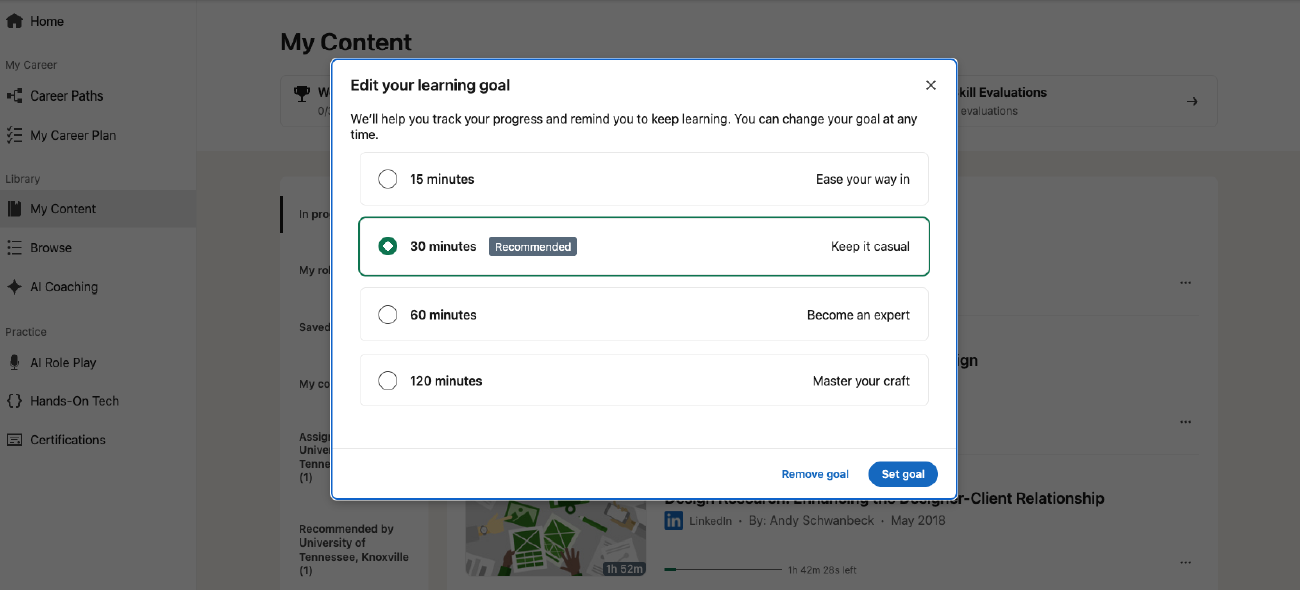
Set a Weekly Time Goal
- Visit LinkedIn Learning.
- If your locked device is lost or stolen, the lock itself will be the first line of defense against a security breach, and the screen lock enables encryption. Depending on your device, you can set screen locks by:
- PIN
- Password/Passphrase
- Fingerprint / Facial Recognition
- Password: Enter your NetID Password.
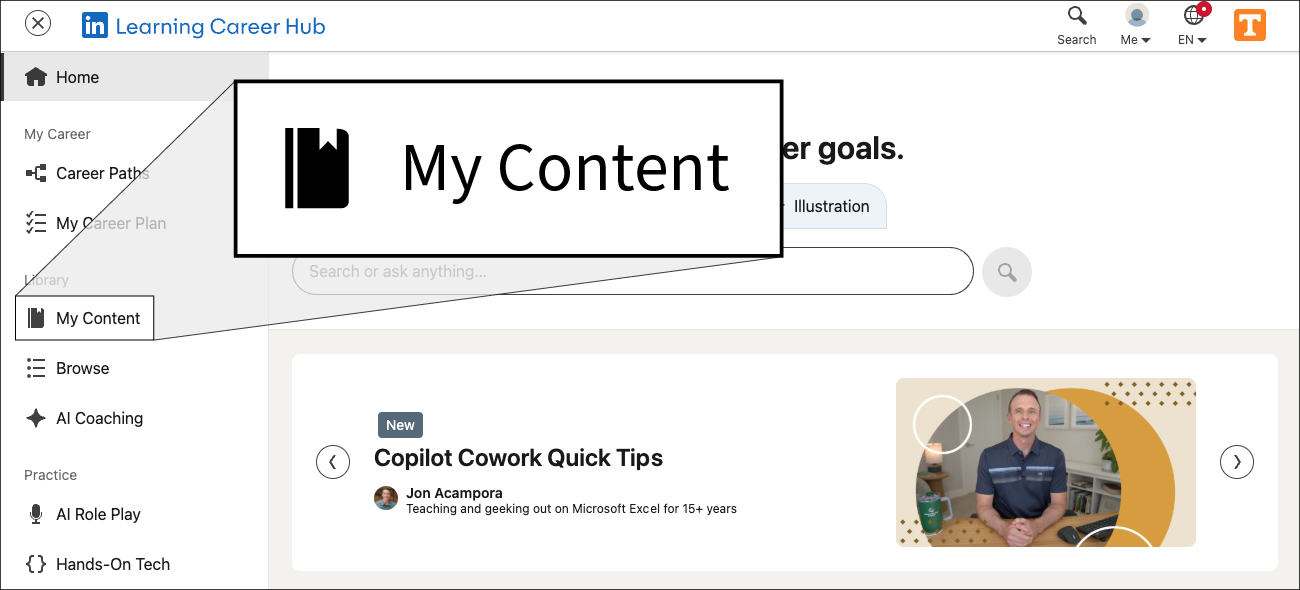
- Once logged in, select My Content from the left-hand side navigation menu.
- Find the Weekly goal section and click the pencil icon to edit your weekly goal.