
 Explore
 Write
Write Chat
Chat Call
Call
OIT News
Service navigation
From Spreadsheets to Stories: Using AI to Visualize Higher Education Data
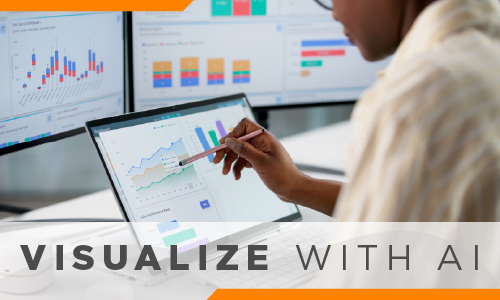
Higher education has no shortage of data. It appears in spreadsheets, survey exports, learning management systems, assessment reports, enrollment summaries, and dashboards. The harder task is turning that data into something people can understand quickly and use confidently. AI can help bridge that gap by suggesting chart types, organizing messy data, identifying patterns, and creating visuals that make information easier to interpret and share.
The value is not just speed. A well-chosen visualization can help a faculty member spot attendance patterns across a semester, help an academic department compare assessment outcomes across programs, or help student affairs staff summarize survey responses about belonging, advising, or engagement. Institutional research teams can also use AI-supported visuals to communicate enrollment, retention, and graduation trends more clearly in reports and presentations.
Where AI Can Help
- Enrollment trends: Create a line chart that shows changes by semester or academic year.
- Course performance*: Compare average grades, completion rates, or assignment outcomes across sections.
- Survey results: Summarize student or employee responses with charts that highlight the most important themes.
- Retention data: Build a simple dashboard that compares year-to-year retention, persistence, and graduation rates.
AI can also help choose the right format. A trend over time may work best as a line chart, a comparison across groups may need a bar chart, and a collection of related metrics may be clearer in a small dashboard. The key is to match the visual to the question the audience needs to answer.
Prompts to Try
- “Create a bar chart from this table showing student satisfaction by department. Include a short explanation of the main takeaway.”
- “Turn this enrollment spreadsheet into a line graph showing five-year trends, and flag any unusual changes.”
- “Recommend the best visualization for survey data on faculty workload, and explain why that format fits the data.”
- “Build a simple dashboard showing retention, graduation rate, and first-year persistence. Use plain-language labels.”
- “Clean this spreadsheet, identify missing or inconsistent values, and suggest two ways to visualize the results.”
AI can save time, but every visual still needs human review. Faculty and staff should check calculations, confirm labels, review the underlying data, and make sure the visualization tells the truth without oversimplifying the results.
Used thoughtfully, AI can help campus teams move from spreadsheets to stories. It does not replace professional judgment, data expertise, or institutional policy. Instead, it offers a practical way to make information clearer, more accessible, and easier to act on.
*Sensitive student or employee data should only be used when authorized, appropriate, and consistent with institutional privacy and data governance policies. Review OIT’s AI Matrix for guidance using UT’s AI tools.