
 Explore
 Write
Write Chat
Chat Call
Call
OIT News
Service navigation
May 27: New Sign-In Experience Begins
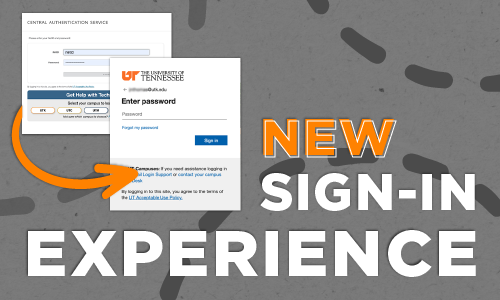
Reminder: On May 27, 2026, the Office of Innovative Technologies (OIT) will update how you sign in to many UT applications, including Canvas, MyUTK, and DASH. This change will affect any application that grants access using UT’s Central Authentication Service.
Why Is This Changing
This update is part of our effort to deliver a modern, consistent authentication experience across university platforms.
How to Sign In
1. Use your UPN as your username:
Your UPN is the email address used to sign in to UT services, such as email, typically in this format:
- Faculty and Staff: Use [email protected]
- Students: Use [email protected]
- Look up your UPN online if you aren’t sure which email address you should be using
2. Password:
Your NetID Password
Common Applications Accessed with UT Single Sign-in
- Adobe Creative Cloud
- Canvas
- DASH
- K@TE
- LinkedIn Learning
- MyUTK
- Qualtrics
- RingCentral
- OIT Software Distribution
- VolBooks
- VolCard
- VolConnect
- VolLink
- VPN
- UTK Housing
- Zoom
What Will Look Different
- The sign-in page will have a new look.
- You will be quickly redirected to Microsoft’s sign-in page when logging in.
- If you’re already signed in, you may not see the new sign-in screen until you log out.
New Single Sign-In
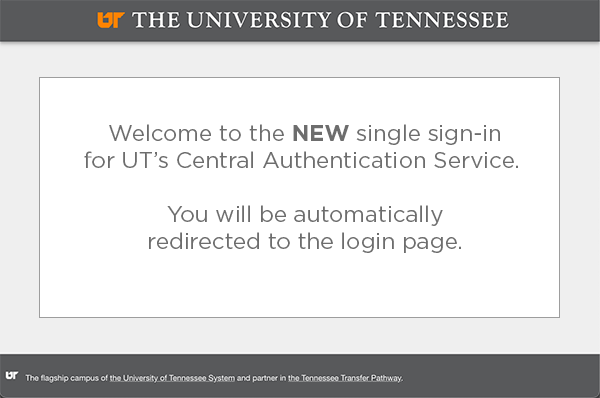
When signing in with your UPN ([email protected] or [email protected]), you will first be directed to this landing page.
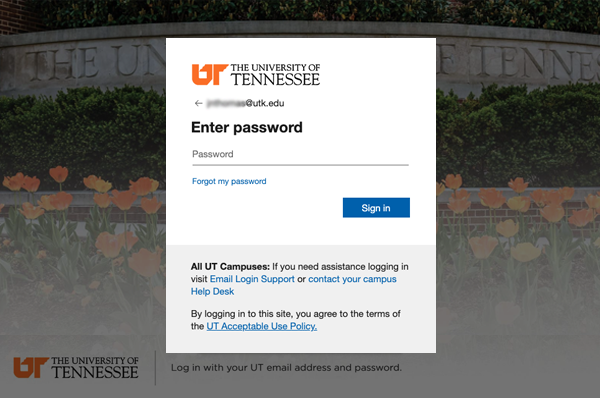
You’ll be redirected to Microsoft’s authentication site for a seamless login.
This Central Authentication Service Page Will Be Replaced
The current login screen features the Central Authentication Service heading and requires your UT NetID and password.
