Skip to content Skip to main navigation Report an accessibility issue

OIT News

Training News

All News

March 2026

Linkedin learning logo, industry-ready skills.

Power Up Your Degree with Industry-Ready Skills: LinkedIn Learning Professional Certificates 

LinkedIn Learning is advancing professional development in higher education through its Professional Certificate program, which helps learners build job-ready skills […]

Related:

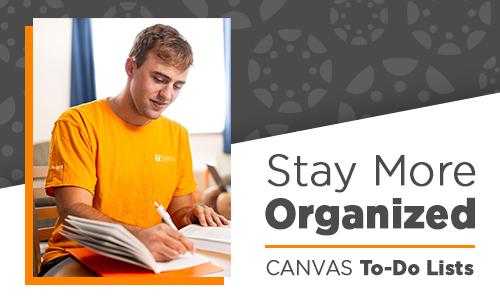
    Young man in a UT orange t-shirt, sitting at a table and taking notes in a notebook. Text: Stay More Organized; Canvas To-Do Lists

    Helping Students Stay More Organized in Online@UT (Canvas) 

    As the semester progresses, it is common for students to feel overwhelmed and lose track of assignments, due dates, and […]

    Related:

      Canvas New Tools + Upgrades

      Online@UT (Canvas): New Tools and Updates 

      Explore the latest tools and updates happening in Online@UT (Canvas) Surveys in New Quizzes  A new quiz type, Surveys, has […]

      Related:

        Overleaf

        Accessible PDFs with LaTeX and Overleaf 

        With the Title II rule on digital accessibility approaching, Overleaf has announced practical ways for researchers to create tagged PDFs.  […]

        Accessibility made easy

        Accessibility Made Easy

        Canvas Course Accessibility Checklist  When developing content in Online@UT (Canvas), it is easy to adopt design habits that may appear […]

        UT Verse AI Assistant AI Insights: Download Chats as Word Docs

        UT Verse: Download a Chat as a Word Document 

        In the digital age, communication often takes place through various chat platforms. At the University of Tennessee, UT Verse is […]

        Related:

        Register by Tuesday, March 10, 2026

        Symposium Registration Deadline Extended to March 10

        Register and Reserve Your Spot!
        March 24-26, 2026, at the Knoxville Convention Center.

        Support for Your Research

        OIT Manuscript Coauthorship for Academic Research 

        Did you know that the Research Computing Support (RCS) team within the Office of Innovative Technologies provides manuscript coauthorship for […]

        February 2026

        UT Verse AI Assistant, AI Insights: Reference Lists & Bibliographies

        Reference Lists and Bibliographies using UT Verse 

        Creating a clean bibliography or reference list is easy with UT Verse, which helps organize and format references quickly. It […]

        Related:

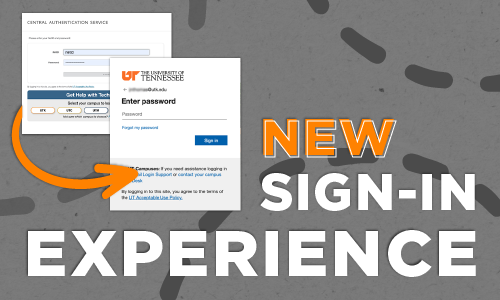
          New Sign-In Experience; Screenshots of current and new Central Authentication Service login pages

          New Sign-In Experience Coming May 27

          On May 27, 2026, the Office of Innovative Technologies (OIT) will update how you sign in to many UT applications, […]

          Dryad Now Available

          Dryad Data Repository for UT Researchers

          UT researchers can now deposit research datasets in Dryad, an open dataset publishing platform, at no cost through a new […]

          Employee Home Address Validation and Correction, Task Completed, Dash logo.

          Reminder to Complete Your DASH Address Verification

          The deadline to complete your DASH Journey task is Wednesday, February 25. If you have not yet completed your DASH Journey […]

          UT Verse AI Assistant AI Insights: Creating Tables with UT Verse

          Let UT Verse Create Tables from Your Content

          UT Verse can help you quickly turn your existing information into a clear, organized table. If you’ve ever copied text […]

          UT Verse AI Assistant AI Insights: Work Smarter, Not Harder

          AI Insights: Work Smarter, Not Harder

          There’s been plenty of talk about Artificial Intelligence (AI) lately, and it’s easy to wonder what it really means for […]

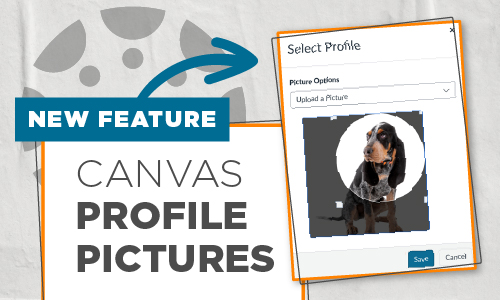
          New Feature: Canvas Profile Pictures--Screenshot of "Select Profile Picture Options" screen in Canvas

          Canvas Profile Pictures Now Available

          A feature recently enabled within our Online@UT (Canvas) environment is already gaining positive traction. If you haven’t started seeing user […]

          Designing Training That Works for Everyone

          Conversations about accessibility are top of mind across campus, reflecting a shared commitment to access and engagement in learning. In […]

          Meeting Summary Templates, Zoom

          Organize Zoom Content with Meeting Summary Templates

          The Zoom AI Companion includes the meeting summary feature, which provides hosts with a text summary of topics covered in […]

          SAS Update, SAS 9.4 500px x 300 px

          Featured Software: SAS 9.4 M9

          SAS, developed by SAS Institute, Inc., is a sophisticated statistical software suite for data management, analytics, access, and visualization. SAS […]

          Mic/Nite talks by utk faculty, PK, powered by PechaKuchca, 20 images x 20 seconds

          Save-the-Date: Spring 2026 Mic/Nite

          You don’t want to miss this fun night!
          Date: Thursday, March 19
          Time: Social Hour at 5:30 p.m. and Presentations beginning at
          6:30 p.m.

          UT Verse AI Assistant AI Insights: UT Verse Smart Features

          Try Using UT Verse Smart Features

          UT Verse offers a suite of intelligent features designed to make your interactions with AI more efficient, personalized, and productive. […]

          January 2026

          Registration Now Open, UT Innovative Technology Symposium, Connecting people. Sharing ideas. Shaping IT.

          Registration is Now Open for the 2026 UT Innovative Technologies Symposium

          Register and Reserve Your Spot!
          March 24-26, 2026, at the Knoxville Convention Center.

          UT Innovative Technologies Symposium Keynote Speaker Announced

          Announcing Our Keynote Speaker: Michael Shepherd

          We are thrilled to welcome Michael Shepherd, Senior Distinguished Engineer and Services CTO at Dell, as the keynote speaker at […]

          UT Verse AI Assistant AI Insights: Working With Documents

          AI Insights: Using UT Verse to work with Documents 

          Imagine having a tool that not only reads your documents, but also quickly analyzes and summarizes them, making it easier […]

          Call for Presenters, Proposal Deadline Extended to Friday, January 30. UT Innovative Technologies Symposium, shape of Tennessee state.

          Symposium Update: Call for Presenters Deadline Extended 

          Send us a brief description of your proposed topic before Friday, January 30 We hope that you will consider sharing […]

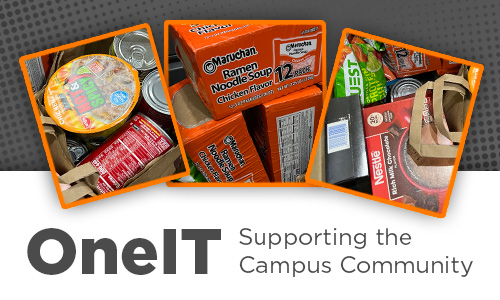
          Collage of donated nonperishable food items. "OneIT: Supporting the Campus Community"

          OneIT Supports the Campus Community with Generosity and Connection

          To kick off 2026, technology support staff from UT Knoxville’s Office of Innovative Technologies and the UT System’s Department of Technology Solutions, a collective […]

          Are You Ready for Spring? Image depicts a checklist on a computer screen

          Start of Semester Last-Minute Checklist 

          We have created a quick checklist to ensure your technology is ready for the first day of classes.  Check Your […]

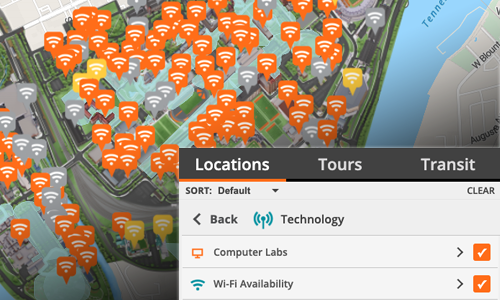
          Campus Map with Wi-Fi markers, Locations, Campus Labs and Wi-Fi availability check boxes.

          Finding Technology Around Campus

          Did you know you can use University Campus Map to locate outdoor WiFi hotspots near your current location? That means […]

          Checked Your Zoom Meeting Settings Lately?

          With the new school year underway, we want to remind you of a few simple security settings and practices you […]

          Choose eduroam

          For Secure Wi-Fi, Choose Eduroam

          When accessing the wireless network from campus, OIT recommends connecting to eduroam, the university’s secure Wi-Fi network, for faster and more secure […]

          Student with head on laptop. Text says can't log into Zoom?

          Use Your UT Account to Sign In to Zoom

          If you are having trouble getting into a virtual class or meeting on Zoom, be sure to sign in with […]

          UT Verse AI Assistant, AI Insights: Introducing Thread Folders

          AI Tip: Introducing Thread Folders

          A Smarter Way to Organize Your UT Verse Conversations  Whether you manage dozens or hundreds of conversations, this new tool in […]

          Related:

          Text: HPSC Workshop Series Image: woman writing formulas on a white board.

          High Performance Computing Workshops

          OIT High Performance and Scientific Computing is hosting a workshop series this semester focusing on utilizing ISAAC resources effectively. These sessions will […]

          GTA Canvas Guide Student in UT shirt with laptop.

          Asynchronous GTA Canvas Guide

          In support of UT Knoxville’s graduate teaching assistants (GTAs) who co-teach and rely on Online@UT (Canvas) to organize and manage […]

          JMP software logo.

          Featured Software: JMP Student Edition Based on JMP Pro 19  

          JMP is comprehensive software for experimental design, statistical analysis, and data visualization. JMP Student Edition is based on features in JMP Pro […]

          YuJa Canvas Test Proctoring

          YuJa Verity Test Proctoring Platform 

          YuJa Verity is the new proctoring software integrated within Online@UT (Canvas) for proctoring online assessments. YuJa Verity is a secure, […]

          AI Insights: Communicate Clearly & Professionally

          Communicate Clearly and Professionally 

          Good communication saves time for everyone, and UT Verse can help you get it right on the first try.  Visit […]

          Grant Opportunity for PointSolutions Users

          Grant Opportunity Available for PointSolutions Users 

          The 2026 EchoImpact Grant Application is now open!  Faculty or staff currently using PointSolutions in their courses are invited to apply. EchoImpacts Grants support research on how EchosystemTM solutions impact equity, evidence, and engagement in any […]

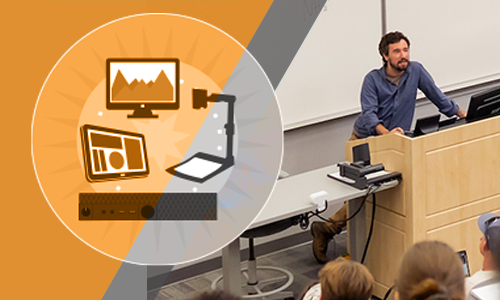
          Schedule a Classroom Consultation, Technology displayed on the podium including keyboard, monitor, and Cynap system

          Request a Classroom Technology Consultation Today 

          Get ready before classes begin on Jan 19. Tell your colleagues!  Appointments available January 7 through January 16.  With spring […]

          Accessibility icon, a person with concentric circles. The background displays icons for links, world wide web, and audio files.

          ACCESSIBILITY MADE EASY 

          This spring semester, in each issue of OIT Weekly, we will be presenting “Accessibility Made Easy” technology tips to help […]

          Related:

          Volweb Changes

          Changes to the Academic Course Linux Environment

          If you teach web-based courses requiring students to create websites, we have a new process to share with you. In […]

          Hypersign with arrow pointing to Optisigns

          Spring Transition to OptiSigns

          We are pleased to announce that OptiSigns will replace Hypersign as the University’s digital signage platform. This upgrade will enhance how we share information […]

          Zoom Test Flights

          Join Us Online January 15 and 16 for the Spring 2026 Zoom Test Flights!

          These sessions allow an opportunity for you to test your device with Zoom before classes start. The session dates and […]

          Related:

          Start 2026 with UT Verse

          From Stressed to Your Best: A Practical Guide for Starting 2026 

          Let UT Verse, UT’s proprietary AI assistant, help you start the new year more organized, less stressed, and ready to […]

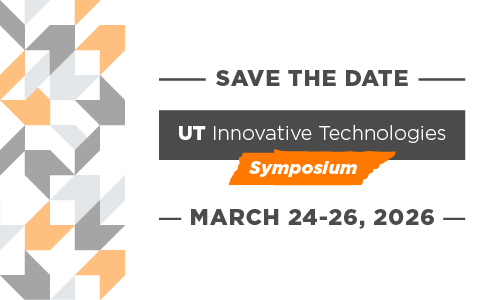
          Save he Date UT Innovative Technologies Symposium March 24-26, 2026

          Join Us at the Third Annual UT Innovative Technologies Symposium in 2026!

          SAVE-THE-DATES When: March 24-26, 2026 Where: Knoxville Convention Center at 701 Henley St, Knoxville, TN 37902 Who says there is […]

          Join Us and Present, 2026, UT Innovative Technologies Symposium, Connecting People. Sharing Ideas. Shaping IT

          Invitation to Present at the 2026 UT Innovative Technologies Symposium

          The Call for Presenters is Now Closed. Your expertise is needed! We hope that you will consider sharing your unique […]

          December 2025

          Noteworthy Zoom News, Zoom logo

          Zoom Updates Coming in 2026

          OIT is excited to announce some changes coming to the UT Zoom system on January 13, 2026.  Redesigned Home Page  […]

          AI Insights: Use AI to Make Room for Memories

          Countdown to the Holidays: Let AI Help Make Room for Memories 

          We’re almost there! With just a short few days left until Christmas and winter break gatherings, it’s completely normal if […]

          Related:

          Spam Malware, Threats Found

          Improved Email Response When Reporting Spam

          Beginning January 28, the University of Tennessee will enable a new feature that provides automatic responses when you report a […]

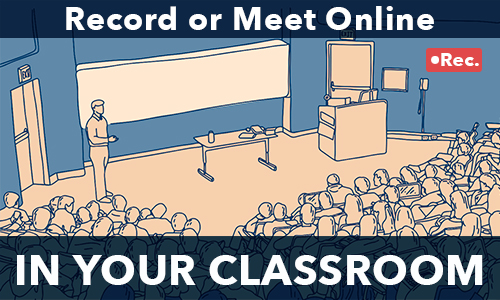
          Record or Meet Online In Your Classroom, image depicts an illustration of a classroom of students and a presentation screen.

          Determine Your Classroom Recording Needs Now for a Successful Spring

          Special speakers, students out sick, and traveling instructors all require times when a class needs to be recorded or have […]

          Related:

          AI Instights, Try Talking to UT Verse

          Speak Up—How Your Microphone Transforms the UT Verse Experience 

          Technology on campus is constantly evolving, and the University of Tennessee’s UT Verse platform is helping lead to that change. […]

          Twelve days of Training

          The 12 Days of Training Tips

          A Holiday Guide to Better Online Learning  As the year wraps up, why not give your learners the gift of […]

          Related:

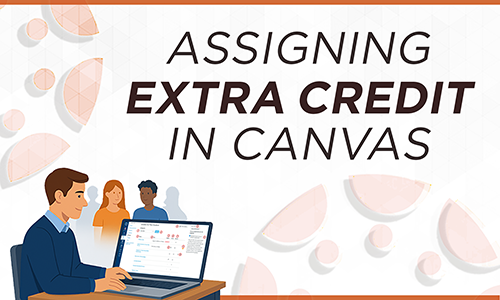
          Assigning extra credit

          Assigning Extra Credit in Canvas

          Extra credit refers to points awarded to students that go beyond the regular maximum score on course assessments. While Canvas […]

          Related:

          New in UT Verse, text entry field displaying a new world icon.

          Discover What’s New in UT Verse

          Version 1.6.0 of UT Verse AI Assistant has been released, marking one of our biggest releases yet. Key highlights: A […]

          Live Collaboration with Atlas.ti

          Live Collaboration in ATLAS.ti Web for Qualitative Research

          Did you know that UTK provides access to both the desktop and web versions of ATLAS.ti for faculty, staff, and […]

          Related:

          Life After Graduation, Image of students clapping in cap and gown at a graduation ceremony.

          Students: Prepare for Life After UT

          Congratulations Grads!  With graduation just around the corner, you may be wondering what you will have access to (and for how […]

          Related:

          Manage when students see their grades

          Using Grade Posting Policy to Manage When Students See Their Grades 

          By default, Canvas shares grades with students as soon as they are entered in the gradebook. This makes a lot […]

          Related:

          What's New in Linkedin learning

          Merging Your LinkedIn Accounts and AI-Powered Coaching 

          Connect Your LinkedIn Account for Seamless Access  Did you know you can connect your personal LinkedIn account with your UTK […]

          November 2025

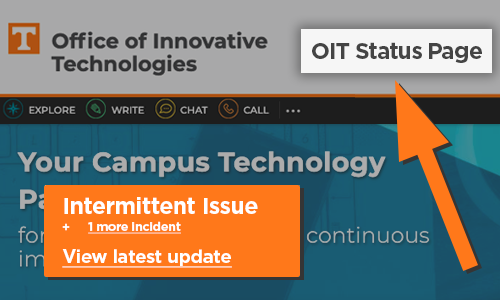
          OIT Status Page, Intermitten Issue, + 1 update, View latest update

          Who Are You Going to Call?

          Is your favorite software tool not working today?Is the web site you need to get to slow or unresponsive? Before […]

          AI Insights, Personalized Learning with UT Verse

          UT Verse—Personalized Learning for All

          Faculty today face classrooms with students from varied backgrounds, language abilities, and academic levels. Meeting these diverse needs can be […]

          Mark Your Calendar, Banner Maintenance

          Mark Your Calendar: Banner Will Be Unavailable for Maintenance

          Access to all Banner services, including Self-Service, Administration Pages, registration, advising, and fee payments, will be unavailable beginning Friday, November […]

          Spring Course Shells Available

          Canvas Course Availability 

          For Winter Mini-Term and Spring 2026 Winter Mini-Term 2026 and Spring 2026 Canvas course shells were created on November 5. Please […]

          Related:

          HIgh Performance & Scientific Computing; Run Faster

          Make Your Research Run Faster

          Hands-on help from proposal to results. About Our Service High Performance Scientific Computing (HPSC) works with researchers who need specialized […]

          Related:

          Advanced Rubrics

          Using Enhanced Rubrics for End of Semester Grading 

          As the Fall Semester begins to wind down, you may be planning those final projects and assignments and deciding how […]

          Related:

          Canvas Mastery Paths. Multiple curving arrows pointing in the same direction.

          Canvas Mastery Paths: Customizing Learning to Boost Student Success 

          What are Canvas Mastery Paths?  Mastery Paths allow instructors to customize, differentiate, and scaffold students’ learning experiences based on their […]

          Related:

          Wolfram Mathematica logo and red starburst image with math algebra problems in the background

          Featured Research Software: Mathematica

          Mathematica is available for download for all UTK, UTS, and UTHSC students, faculty, and staff from the OIT Software Distribution […]

          Related:

          Overleaf logo in front of Ayres Hall

          Overleaf Professional—The Wait is Over  

          As of November 10, 2025, you may access the University of Tennessee, Knoxville Overleaf Portal by logging in via SSO […]

          AI Insights - AI Chats - Retain, Reuse, Refine.

          Why Save an AI Chat?

          Downloading a chat with UT Verse serves two main purposes: documentation and reuse. When you are using UT Verse to […]

          Microsoft Bookings

          Microsoft Bookings—Personal Booking Page 

          Have you been looking for an easy way for individuals to book a 1:1 appointment with you? Or perhaps you […]

          October 2025

          UT Verse: Locate sources, Sum it up, Spot gaps, Brainstorm ideas.

          A Few Practical Ways to Use UT Verse

          Are you seeking new ways to support your students’ learning or to enhance the efficiency of your instructional efforts? Generative AI […]

          Wait before you upgrade, macOS Tahoe

          macOS Tahoe—Wait Before You Upgrade

          Apple has released its latest desktop operating system, macOS Tahoe, also known as macOS 26.  As always, OIT recommends caution when […]

          Submit your requests today!

          Time to Submit Course Video Requests for Spring 2026

          Do you plan on showing films in your class? Do you need part of a book scanned, too? Don’t wait […]

          Related:

          National Cybersecurity Awareness Month, Third-Party Vendors

          The Hidden Threat in Your Vendor Relationships

          You wouldn’t hand your office keys to a stranger, but every time our university uses a third-party vendor or software […]

          Related:

          National Cybersecurity Awareness Month

          Safer Generative AI Practices

          National Cybersecurity Awareness Month Artificial Intelligence (AI) is becoming a big part of our daily lives, helping with things like […]

          Related:

          Image of a student wearing a cap and gown with a video camera recording the event.

          Commencement Webcast Requests? Don’t Delay, Submit Today!

          Does your department or college have an upcoming commencement ceremony that they’d like to share with a virtual audience? OIT […]

          Related:

          Mic/Nite talks by utk faculty, PK, powered by PechaKuchca, 20 images x 20 seconds

          RSVP to Attend Mic/Nite Fall 2025

          You don’t want to miss this fun night!

          Related:

          KATE training and logos

          UT Annual Compliance Training

          October is National Cybersecurity Awareness Month.It’s a timely opportunity to assess your cybersecurity knowledge and complete part of your required […]

          Hello. Is that you? National Cybersecurity Month

          Social Engineering

          National Cybersecurity Awareness Month When most people think of cyber threats, they picture hackers using technical tools to break intosystems. […]

          Related:

          Meet us at Educause, AI Team

          Meet the OIT AI Team at Educause

          If you are attending this year’s upcoming Educause Annual Conference in Nashville, you won’t want to miss the opportunity to […]

          Related:

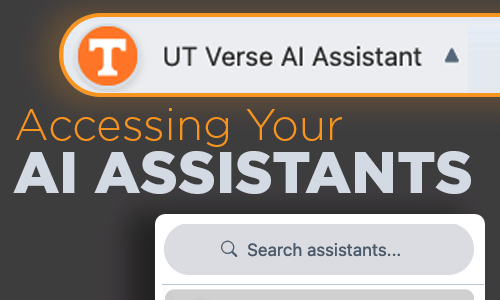
          UT Verse AI Assistant, Accessing Your AI Assistants, Search assistants.

          How to Call on Your AI Assistants

          An AI Assistant is like having a personal helper who understands your requests and provides smart, fast solutions—whether you’re drafting […]

          Related:

          High Performance & Scientific Computing, Need Nodes?

          Strategic Computing Investment with HPSC

          Add Capacity Without Running Your Own Servers Faculty and other University researchers may purchase compute nodes to be placed in […]

          Related:

          Library Resources and Services Image

          UT Libraries is a Partner in Student Success

          Teaching Research Skills Librarians are available for classroom or remote instruction on a broad range of topics, including information literacy, […]

          Related:

          Canvas Catalog Advantage

          UT Canvas Catalog: Supporting Non-Credit Education and Training for UTK Students

          UT Canvas Catalog is a powerful learning platform that helps many colleges, departments, and units at the University of Tennessee, […]

          Related:

            Canvas Security

            Canvas Security: Take Care When Manually Adding Users to Courses

            Within Online@UT (Canvas), Primary Instructors have permissions to manually enroll users into their Canvas courses. When an instructor needs to […]

            Related:

              Zoom Security, image of people in a Zoom meeting, Zoom logo and lock.

              Refresh and Review: Zoom Security Settings

              As we progress into Fall, let’s review Zoom’s security settings and additional controls that help with managing your meetings. As […]

              Related:

              September 2025

              We need your feedback.

              Help Shape National Research Policy

              Send Us Your Feedback on the Proposed Research Cybersecurity Guidelines National Research Policy Guidelines have been developed as part of […]

              AI Insights, UT Verse, Context Engineering

              UT Verse + Context Engineering = Powerful AI

              Do you want your AI chats to land closer to the mark on the first try?Think context engineering; the art […]

              Related:

              Training Day

              Revolutionize Your Teaching and Content Creation

              Get ready to explore innovative sessions such as “Canvas: New Functions, Best Practices, and Helpful Hints” and “Panopto Essentials: Creating, […]

              Related:

              Top Five Tips, shows a classroom with an intructor and students with a lock overlaid on the image.

              Top 5 Practices to Stay Secure in Classrooms

              Staying secure in your classroom keeps you and your students’ data safe while ensuring your classroom technology runs more smoothly. […]

              Related:

              AI Insights, Empower Your Voice

              Empower Your Voice with UT Verse 

              Imagine having a study partner who never sleeps. That’s what UT Verse offers—a tool to enhance, not replace, your efforts. […]

              Related:

              AI Canvas, Canvas logo

              New AI Features within Canvas

              OIT has enabled three new features in Online@UT (Canvas) utilizing generative AI: Smart Search, Discussion Summaries, and Khanmigo Teacher Tools. […]

              Related:

              Matlab Updates

              What’s New in MATLAB 2025a

              MATLAB R2025a, released in May 2025, introduces a new desktop layout with customizable sidebars for accessing tools like the Debugger, […]

              Related:

              Research Support, image of a hand plotting points on a chart.

              OIT Support for Research Proposals and Grants

              OIT High Performance & Scientific Computing (HPSC) provides research computing resources and services to the university community, including: ISAAC is […]

              Related:

              Available software: image of a laptop and keyboard

              Software for Faculty, Staff, and Students

              UT maintains contracts with many software providers to provide faculty, staff, and students access to these school, work, and academic […]

              Acceptable Use of OIT Research Software

              The University of Tennessee provides access to many types of centrally funded research software. Centrally funded software is available for […]

              Artificial Intelligence Learning and Teaching

              Artificial Intelligence at UT: What You Need to Know

              Artificial intelligence (AI) is becoming a bigger part of daily life at UT. Even if you feel late to the […]

              Related:

              Newsletter signup

              Stay Up to Date with OIT News

              “Oh, why didn’t I know that would affect my upcoming exam?” “Wow, we have access to so much available research […]

              Training Day

              Fall 2025 Training Day

              Empower Your Skills with OIT Supported Technologies 16 Workshops on Thursday, October 16 at the Student Union  Enhance your technical […]

              Zoom Tips

              Zoom Tips for Fall 2025

              With the fall semester underway, let’s review a few noteworthy items to avoid unexpected interruptions while using LiveOnline@UT (Zoom). End […]

              Related:

                Effective AI Prompts

                How to Converse with AI: A Quick Overview on Prompting

                Albert Einstein is quoted as saying: “If I had an hour to solve a problem, I’d spend 55 minutes thinking […]

                Related:

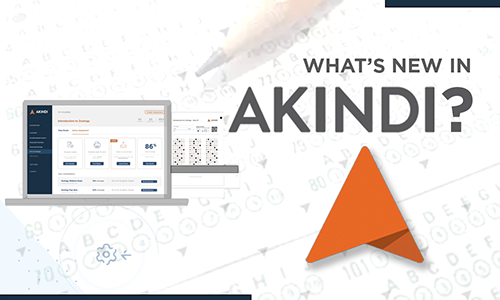
                What's New in Akindi?

                Notable New Features in Akindi

                Akindi is a web-based assessment system that automates the creation and grading of multiple-choice examinations. It is accessible through Canvas […]

                Related:

                  Smarter, Better, Faster,

                  UT Verse—Continuous Improvements

                  Every week, countless new things happen in the field of AI, and we are committed to continuing our advancements as […]

                  Veteran Voices

                  Veteran Voices, Virtual Learning: Online Green Zone Training

                  In proud support of UT’s veteran scholars, the Office of Innovative Technologies (OIT) recently partnered with the Veterans Success Center […]

                  Canvas Course Nicknames

                  Course Nicknames in Canvas

                  Canvas courses take their Course Names from the course listing in the UTK Timetable. Instructors may prefer to edit the […]

                  Related:

                    UT Verse AI Assistant, with screen capture of UT Verse and headshots of Steve Chastain, Mark Grieg, and Mikhael Loo

                    Learning UT Verse Via Vodcasts 

                    UT Verse: AI Unplugged is a new vodcast series from the University of Tennessee’s Office of Innovative Technologies. Each episode […]

                    Related:

                      Annual Report 2024, The University of Tennessee, Knoxville, Office of Innovative Technologies

                      Introducing the OIT 2024 Annual Report

                      At the heart of every successful organization is a trusted IT partner—one that aligns secure and efficient technology solutions with […]

                      August 2025

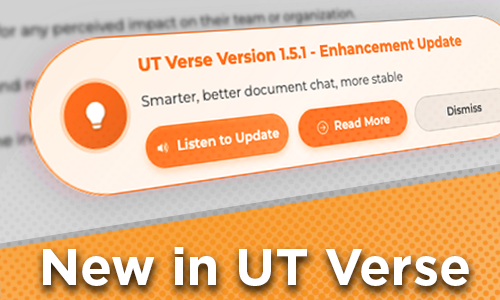
                      UT Verse Version 15.1 - Enhancement Update, Smarter, better document chat, more stable, Listen to Update, Read More, Dismiss, New in UT Verse

                      How to Check for UT Verse Updates

                      If you’ve been offline over the summer break, find out about recent updates Upon signing in to UT Verse, a […]

                      Related:

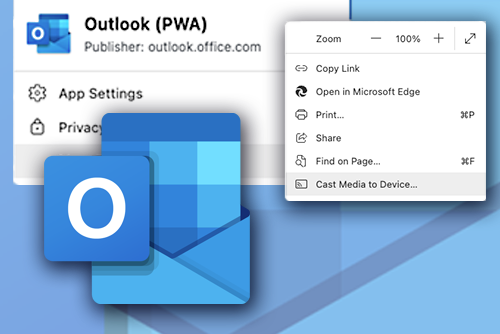
                      Outlook (PWA) Publisher: outlook.office.com, App Settings, Privacy, Window contains: Zoom +-, Copy LInk, Open in Microsoft Edge, Print, Share, Find on Page, and CAst Media to Device...

                      Outlook (PWA): A Streamlined Way to Access Your Email

                      Microsoft Outlook Progressive Web App (PWA) offers a seamless way to access your email directly from your browser, eliminating the […]

                      Speakers Announced, Bioinformatics Symposium

                      2025 Bioinformatics Symposium: Speakers Announced

                      Keynote Address Establishing a Subsurface Observatory at a Contaminated DOE Legacy SiteDr. Terry Hazen, Ph.D. Speakers Why and how organisms […]

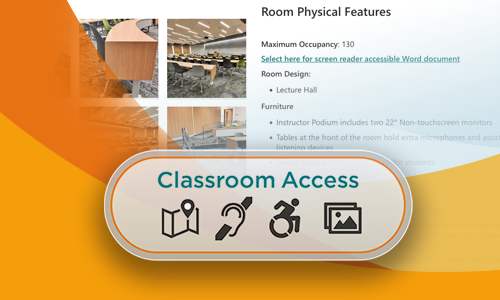
                      Classroom Access, Screen shot of a classroom accessibility page.

                      New Classroom Accessibility Resources

                      We’ve launched a new Classroom Accessibility section on classrooms.utk.edu to support instructors and students of all abilities physically accessing classrooms. Look for the Accessibility button on any […]

                      Related:

                      Summarize this document, an artificial-looking Image of a digital clock with a hand.

                      Discover Five Simple Ways AI Can Save You Time  

                      Are you looking for ways to save time in your busy schedule? Consider leveraging University-sanctioned AI-powered platforms, UT Verse and […]

                      Related:

                      UT Verse AI Assistant

                      UT Verse: Using Role-based Prompts to Tailor Responses

                      UT Verse, the University of Tennessee’s AI Assistant, adapts its responses based on the role you provide.   Here are […]

                      Related:

                      Getting IT Help from the OIT HelpDesk

                      The Office of Innovative Technologies (OIT) HelpDesk is here to make your tech troubles disappear. Whether you’re locked out of […]

                      Are You Connected to Wi-Fi? Innovative Technologies for Student Success

                      Get the Best UTK Wi-Fi Connection on Campus

                      Connect to eduroam Access UT’s secure wireless connection by choosing the eduroam network as your primary wireless network while on […]

                      Artificial Intelligence Learning and Teaching

                      AI and Teaching & Learning

                      Are wondering how you can incorporate artificial intelligence (AI) into your course?  Watch this short new OIT video featuring UT’s own […]

                      Related:

                        HPSC Fall Workshop Series

                        Learn High Performance Computing this Fall

                        OIT High Performance and Scientific Computing (HPSC) is hosting a workshop series this semester focusing on utilizing ISAAC resources effectively. […]

                        Related:

                        UT Verse AI Assistant

                        Your Conversations are Private: UT Verse Chats are Not Used for AI Training 

                        UT Verse was developed with a strong emphasis on safeguarding user data and ensuring privacy for the University of Tennessee […]

                        Related:

                          UT Verse AI Assistant

                          UT Verse: Create an AI Assistant

                          Within UT Verse, you can create an AI Assistant to respond in a preferred voice and tone. When you find […]

                          New Student Resources

                          OIT’s Essential Tech Guide for New Students

                          The Office of Innovative Technologies (OIT) can answer your questions about passwords, Duo (two-factor), Outlook email, software, wired and wireless […]

                          Related:

                          Zoom Test Flights

                          Spring 2026 Zoom Test Flights 

                          Join us online January 15 and 16 for the Spring 2026 Zoom Test Flights. These sessions allow an opportunity for you to test your device with […]

                          Canvas Pages

                          Keeping Content Within Canvas Pages

                          It’s exciting to work on adding content to your Canvas course site, especially at the start of the semester!  As […]

                          Related:

                          Canvas New and Noteworthy

                          What’s New in Canvas

                          With the start of Fall classes, it’s time to put the finishing touches on your courses. Be sure to check […]

                          Related:

                          Countdown to Classroom Technology Training Image

                          Countdown to Classroom Technology Training

                          We want you feeling confident about your first day teaching in a new classroom! Once you know your building and […]

                          Related:

                          Bioinformatics Workshop Series Image

                          Register for Fundamentals of HPC for Bioinformatics

                          Graduate Students, Faculty, Researchers—Add this pre-fall semester workshop series to your calendar.

                          check mark and x mark

                          Engage your Students with PointSolutions

                          What strategies will you implement this fall to engage your students, promote active learning, and sustain their attention?  PointSolutions, also […]

                          Related:

                            July 2025

                            AI Tips & Tricks

                            Four Ways UT Verse Can Help with Class Planning 

                            Class planning isn’t just about creating syllabi. It’s about clarifying goals, inspiring students, and choosing where to spend your limited […]

                            Related:

                            Technical Difficulties

                            Have You Checked the Status Page Lately

                            Subscribe to this important resources, today. If you’ve ever wondered why a UT resource you are attempting to access is […]

                            AKINDI

                            Akindi: Create Question & Bubble Sheets 

                            Akindi is making it faster and easier for instructors to run multiple version paper assessments. By using Question & Bubble […]

                            Image of two illustrated ripped pieces of paper taped up. One with a screenshot of the Canvas New Quizzes build screen, the other with the Canvas logo and text that says New Quizzes Updates.

                            Canvas New Quizzes Enhancements—Navigation and Text Block 

                            Two enhancements have recently been made to New Quizzes within Canvas.  The first enhancement is navigational. New Quizzes now show […]

                            Screenshot of the Canvas Dashboard highlighting the announcements popup that says Tips and Updates in Canvas.

                            Check Your Canvas Dashboard 

                            Exciting news! This summer, we’ve started a new communication initiative within Canvas. Now, every week on your Canvas Dashboard, you’ll […]

                            Silhouette image of a group of office workers together in a room. Icons of Microsoft Software logos overlayed on top along the right side of the image. Text that says Request Microsoft Training.

                            Does Your Department Need Help Transitioning to Microsoft?

                            Request Customized Training for Your Department The Office of Innovative Technologies (OIT) provides tailored, in-person or live, online departmental training […]

                            Yellow graphic with the text 'Support Available: Multilevel Modeling' and a hexagon-based hierarchy diagram. Faint background patterns of lines and shapes suggest nested, interconnected structures, reinforcing the concept of multilevel modeling.

                            Multilevel Modeling Support Available 

                            Multilevel models (MLM), also known as hierarchical linear models, are statistical techniques used to analyze nested data, data structured on […]

                            Related:

                            AI Tips & Tricks

                            Artificial Intelligence Weekly Tips and Tricks

                            UT Verse with Web Search—
                            UT Verse offers an advanced Web Searc for news, web pages, images, and videos, and deeply analyzes the findings to provide detailed sources and citations in footnotes.

                            Icons of instructor, camera, chat

                            Technology Support & Resources for New Faculty, Instructors, & GTAs

                            Share this website to help your new teaching staff get started. The Office of Innovative Technologies (OIT) offers help to […]

                            Related:

                            June 2025

                            UT Verse AI Assistant

                            Entering a New Era in the UT Verse

                            Thanks to the continued support and vision of our senior leadership, since 2023, the University of Tennessee has become a […]

                            SAS Learning Resources

                            Learning SAS via SAS e-Learning

                            SAS, from SAS Institute, is a leading analytic software suite for data management, statistical analysis, and data visualization. The latest SAS […]

                            Canvas: Bulk Edit Assignment Dates

                            Every semester, after you’ve copied content from your last course to the current one, it’s time to go through and […]

                            Related:

                            Zoom recording options

                            Zoom: In-Meeting Views and Recording Layouts

                            Zoom meeting hosts and participants may change their view in real-time, adjusting the display of content and webcams to suit […]

                            Vol Edge

                            OIT and Student Success Help Give Vols a Leading Edge

                            When it comes to life after graduation, UT Knoxville students now have even more opportunities to develop an edge over […]

                            Related:

                            New in UT Verse, text entry field displaying a new world icon.

                            Hello, UT Verse: What’s New?

                            UT Verse just got a major upgrade—easier and more powerful than ever. You can now use real-time speech-to-text, capture images […]

                            stata 19 New Features

                            Stata 19: Latest Features and Enhancements

                            StataCorp has officially released Stata 19, a powerful upgrade packed with new features designed to expand analytical capabilities, enhance user […]

                            Illustration of a person holding their ID alongside a computer screen displaying the persons identity

                            OIT Identity Verification Measures

                            As part of our ongoing commitment to the security of our campus community, the Office of Innovative Technologies (OIT) would […]

                            May 2025

                            UT Verse Week, June 9-13

                            Have You Considered UT Verse Week?

                            AI Training Opportunities All Week, June 9-13 The Office of Innovative Technologies is pleased to announce UT Verse Week, June […]

                            Find Your Classroom: Select Your Building

                            Teaching This Summer? Use classrooms.utk.edu 

                             If you need help with using the technology in your classroom, check out the classrooms.utk.edu website. You’ll find individualized guides for every campus-hosted classroom as well as general resources […]

                            Related:

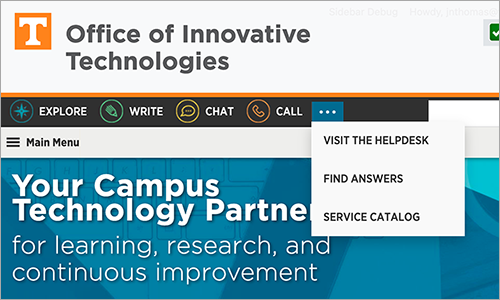
                            OIT Website, highlighting Chat, Phone, Online

                            How to Request Help from OIT

                            Whether you need assistance with Duo, UT email, network, software, hardware, or anything else related to using your technology, reach out […]

                            UT Verse AI Assistant, with screen capture of UT Verse and headshots of Steve Chastain, Mark Grieg, and Mikhael Loo

                            Learn More About UT Verse

                            You won’t want to miss these two upcoming UT Verse learning opportunities! UT Verse Week: AI Training June 9–13 This […]

                            Life After Graduation, Image of students clapping in cap and gown at a graduation ceremony.

                            Students: Prepare for Life After UT

                            Congratulations Grads!  With graduation just around the corner, you may be wondering what you will have access to (and for how […]

                            LinkedIn Learning logo and image of a student studying on the floor with a laptop

                            Using LinkedIn Learning as a Teaching Tool

                            LinkedIn Learning is a fantastic resource available to UT Knoxville* faculty, staff, and students. It has many important and wonderful […]

                            Team Premium

                            Teams Premium: New Feature

                            Managing What Attendees See in Meetings Now that Microsoft Teams Premium is available, you can further streamline your meetings with […]

                            Group Work

                            Canvas: Viewing Student Group Uploaded Assignments

                            Student group work is known to promote active learning and engagement. However, there are some instances when unexpected disputes happen […]

                            UT Verse Week, June 9-13

                            Announcing UT Verse Week: AI Training June 9-13

                            The Office of Innovative Technologies invites you to UT Verse Week from June 9–13. These 90 minute virtual workshops ensure […]

                            Related:

                            Relax for Success: A Five-Video Series from LinkedIn Learning 

                            As we approach the end of the semester, it is important to remember self-care to keep yourself healthy, organized, and […]

                            Related:

                            Get Your Clicker Points

                            Don’t Lose Out on Valuable Clickers Grades and Extra Points

                            Most instructors have a deadline of two weeks after the start of classes for students to register their clickers. Some […]

                            For Students: Top Seven Tech-Checks to Test Before Finals

                            Finals are upon us, and as you prepare for the end of the semester, consider using this checklist to reduce […]

                            Related:

                            April 2025

                            Logging in with Crtl+Alt+Delete

                            Computer Sign in Change for Windows Users

                            On May 21, the OIT Information Security team will implement the Ctrl+Alt+Delete keystroke sequence for signing in to all UT-owned […]

                            Steve Chastain and Mark Greig AI Vodcast

                            UT Verse Vodcast Launching May 13 

                            Great news! We’re excited to announce our brand-new vodcast series, UT Verse Unplugged!  Every two weeks, we’ll share simple tips and […]

                            Related:

                            Join us for AI Wednesadays

                            AI Isn’t What You Think—It’s Better

                            Metaphors matter. Some people are discovering that rethinking how we describe AI can open up entirely new ways to work […]

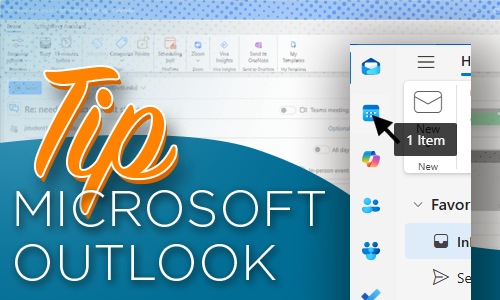
                            Tip Microsoft Outlook, screen capture of Microsoft Outlook highlighting the Calendar button.

                            Create a Calendar Meeting from an Email in Outlook 

                            Do you ever have an email that includes times to meet someone but there’s not a calendar invitation associated with […]

                            Image of a computer screen with documents, a paddle lock and a cloud with up and down arrows.

                            UT Vault 2.0 Coming This Week

                            On April 9, 2025, the Office of Innovative Technologies will release a new secure file transfer service along with a […]

                            Canvas by Instructure, Copy this Course and Copy To... buttons highlighted with and arrow pointing to both buttons.

                            Using ‘Copy To’ Instead of ‘Course Copy’ in Canvas 

                            The Canvas Course Copy feature is an effective way for instructors to copy some or all their course materials from […]

                            Related:

                            Canvas Course Shells for Summer

                            Summer Canvas Course Shells Now Available

                            We know you are anxious to get started with your Mini- and Summer-term course development in Canvas. The course shells […]

                            Related:

                            Canvas Catalog Advantage

                            Unlocking the Potential of Canvas Catalog

                            Did you know that several University of Tennessee, Knoxville’s colleges, departments, and administrative units are leveraging the power of UT […]

                            Related:

                            Transferring Ownership

                            Leaving UT? Prepare Before Losing Access to Your Research Software

                            When students, faculty, and staff leave the University of Tennessee, access to all research software, including ArcGIS and Qualtrics, will end on your Left […]

                            Tip Microsoft Outlook

                            Create a Calendar Meeting from an Email in Outlook 

                            Do you ever have an email that includes times to meet someone but there’s not a calendar invitation associated with […]

                            March 2025

                            ArcGIS Before You Leave, image of 3 people in cap and gown

                            ArcGIS Online: Things to Know Before You Leave

                            If you are a student, faculty, or staff member with ArcGIS Online content, you must manage your ArcGIS Online content […]

                            Zoom Workplace, two people seated and talking to others in Zoom

                            Zoom: Co-Host and Alternative Host—What’s the Difference?

                            Our UT Zoom meeting environment supports several user roles, including the leader or host, a co-host, and an alternative host. […]

                            Training Services, Image of two people writing, planning with sticky notes and color swatches.

                            Impact Learners with OIT’s Training Development Services

                            Do you want to elevate your training programs or bring your training ideas to life? OIT offers training development assistance […]

                            Related:

                            New in UT Verse, text entry field displaying a new world icon.

                            UT Verse: New Online Search Features

                            Did you know that UT Verse can now perform web searches, analyze its findings and provide sources and citations in […]

                            Microsoft Teams Premium

                            Microsoft Teams Premium Has Arrived 

                            As part of our continuous innovation efforts, the Office of Innovative Technologies (OIT) is excited to introduce Microsoft Teams Premium […]

                            Image: Download Rubrics, image of a hand with floating document and folder icons

                            Downloading Rubric Scores in Canvas

                            If you use rubrics in your Canvas course sites, there’s a new feature available: the ability to bulk download rubric […]

                            Related:

                            January 2025

                            Text: HPSC Workshop Series Image: woman writing formulas on a white board.

                            Spring 2025 High Performance and Scientific Computing Workshops

                            HPSC workshop series begins on February 3 OIT High Performance and Scientific Computing (HPSC) is hosting a workshop series this semester […]

                            Related:

                            UT Innovative Technologies Symposium

                            Register to Attend the 2025 UT Innovative Technologies Symposium 

                            UT Innovative Technologies Symposium

                            Related:

                            December 2024

                            Intune + BitLocker, image of a harddrive with a paddle lock

                            Intune Configuration Policy Change: BitLocker Required for All Windows Computers 

                            As part of our ongoing commitment to data security, on December 16, 2024, we are requiring the use of BitLocker […]

                            Related:


                            Accessibility made easy

                            Accessibility Made Easy

                            Canvas Course Accessibility Checklist  When developing content in Online@UT (Canvas), it is easy to adopt design habits that may appear […]

                            Designing Training That Works for Everyone

                            Conversations about accessibility are top of mind across campus, reflecting a shared commitment to access and engagement in learning. In […]

                            Meeting Summary Templates, Zoom

                            Organize Zoom Content with Meeting Summary Templates

                            The Zoom AI Companion includes the meeting summary feature, which provides hosts with a text summary of topics covered in […]

                            UT Verse AI Assistant AI Insights: Working With Documents

                            AI Insights: Using UT Verse to work with Documents 

                            Imagine having a tool that not only reads your documents, but also quickly analyzes and summarizes them, making it easier […]

                            GTA Canvas Guide Student in UT shirt with laptop.

                            Asynchronous GTA Canvas Guide

                            In support of UT Knoxville’s graduate teaching assistants (GTAs) who co-teach and rely on Online@UT (Canvas) to organize and manage […]
                            Schedule a Classroom Consultation, Technology displayed on the podium including keyboard, monitor, and Cynap system

                            Request a Classroom Technology Consultation Today 

                            Get ready before classes begin on Jan 19. Tell your colleagues!  Appointments available January 7 through January 16.  With spring […]

                            Accessibility icon, a person with concentric circles. The background displays icons for links, world wide web, and audio files.

                            ACCESSIBILITY MADE EASY 

                            This spring semester, in each issue of OIT Weekly, we will be presenting “Accessibility Made Easy” technology tips to help […]


                            Zoom Test Flights

                            Join Us Online January 15 and 16 for the Spring 2026 Zoom Test Flights!

                            These sessions allow an opportunity for you to test your device with Zoom before classes start. The session dates and […]

                            Record or Meet Online In Your Classroom, image depicts an illustration of a classroom of students and a presentation screen.

                            Determine Your Classroom Recording Needs Now for a Successful Spring

                            Special speakers, students out sick, and traveling instructors all require times when a class needs to be recorded or have […]

                            Twelve days of Training

                            The 12 Days of Training Tips

                            A Holiday Guide to Better Online Learning  As the year wraps up, why not give your learners the gift of […]

                            What's New in Linkedin learning

                            Merging Your LinkedIn Accounts and AI-Powered Coaching 

                            Connect Your LinkedIn Account for Seamless Access  Did you know you can connect your personal LinkedIn account with your UTK […]

                            AI Insights, Personalized Learning with UT Verse

                            UT Verse—Personalized Learning for All

                            Faculty today face classrooms with students from varied backgrounds, language abilities, and academic levels. Meeting these diverse needs can be […]

                            Advanced Rubrics

                            Using Enhanced Rubrics for End of Semester Grading 

                            As the Fall Semester begins to wind down, you may be planning those final projects and assignments and deciding how […]

                            Canvas Mastery Paths. Multiple curving arrows pointing in the same direction.

                            Canvas Mastery Paths: Customizing Learning to Boost Student Success 

                            What are Canvas Mastery Paths?  Mastery Paths allow instructors to customize, differentiate, and scaffold students’ learning experiences based on their […]

                            AI Insights - AI Chats - Retain, Reuse, Refine.

                            Why Save an AI Chat?

                            Downloading a chat with UT Verse serves two main purposes: documentation and reuse. When you are using UT Verse to […]

                            UT Verse: Locate sources, Sum it up, Spot gaps, Brainstorm ideas.

                            A Few Practical Ways to Use UT Verse

                            Are you seeking new ways to support your students’ learning or to enhance the efficiency of your instructional efforts? Generative AI […]

                            KATE training and logos

                            UT Annual Compliance Training

                            October is National Cybersecurity Awareness Month.It’s a timely opportunity to assess your cybersecurity knowledge and complete part of your required […]

                            UT Verse AI Assistant, Accessing Your AI Assistants, Search assistants.

                            How to Call on Your AI Assistants

                            An AI Assistant is like having a personal helper who understands your requests and provides smart, fast solutions—whether you’re drafting […]


                            Training Day

                            Revolutionize Your Teaching and Content Creation

                            Get ready to explore innovative sessions such as “Canvas: New Functions, Best Practices, and Helpful Hints” and “Panopto Essentials: Creating, […]


                            Training Day

                            Fall 2025 Training Day

                            Empower Your Skills with OIT Supported Technologies 16 Workshops on Thursday, October 16 at the Student Union  Enhance your technical […]

                            Veteran Voices

                            Veteran Voices, Virtual Learning: Online Green Zone Training

                            In proud support of UT’s veteran scholars, the Office of Innovative Technologies (OIT) recently partnered with the Veterans Success Center […]
                            Speakers Announced, Bioinformatics Symposium

                            2025 Bioinformatics Symposium: Speakers Announced

                            Keynote Address Establishing a Subsurface Observatory at a Contaminated DOE Legacy SiteDr. Terry Hazen, Ph.D. Speakers Why and how organisms […]

                            Classroom Access, Screen shot of a classroom accessibility page.

                            New Classroom Accessibility Resources

                            We’ve launched a new Classroom Accessibility section on classrooms.utk.edu to support instructors and students of all abilities physically accessing classrooms. Look for the Accessibility button on any […]


                            UT Verse AI Assistant

                            UT Verse: Using Role-based Prompts to Tailor Responses

                            UT Verse, the University of Tennessee’s AI Assistant, adapts its responses based on the role you provide.   Here are […]


                            UT Verse AI Assistant

                            UT Verse: Create an AI Assistant

                            Within UT Verse, you can create an AI Assistant to respond in a preferred voice and tone. When you find […]

                            Zoom Test Flights

                            Spring 2026 Zoom Test Flights 

                            Join us online January 15 and 16 for the Spring 2026 Zoom Test Flights. These sessions allow an opportunity for you to test your device with […]

                            Canvas New and Noteworthy

                            What’s New in Canvas

                            With the start of Fall classes, it’s time to put the finishing touches on your courses. Be sure to check […]

                            Countdown to Classroom Technology Training Image

                            Countdown to Classroom Technology Training

                            We want you feeling confident about your first day teaching in a new classroom! Once you know your building and […]


                            Bioinformatics Workshop Series Image

                            Register for Fundamentals of HPC for Bioinformatics

                            Graduate Students, Faculty, Researchers—Add this pre-fall semester workshop series to your calendar.
                            AI Tips & Tricks

                            Four Ways UT Verse Can Help with Class Planning 

                            Class planning isn’t just about creating syllabi. It’s about clarifying goals, inspiring students, and choosing where to spend your limited […]


                            Silhouette image of a group of office workers together in a room. Icons of Microsoft Software logos overlayed on top along the right side of the image. Text that says Request Microsoft Training.

                            Does Your Department Need Help Transitioning to Microsoft?

                            Request Customized Training for Your Department The Office of Innovative Technologies (OIT) provides tailored, in-person or live, online departmental training […]

                            AI Tips & Tricks

                            Artificial Intelligence Weekly Tips and Tricks

                            UT Verse with Web Search—
                            UT Verse offers an advanced Web Searc for news, web pages, images, and videos, and deeply analyzes the findings to provide detailed sources and citations in footnotes.

                            Canvas: Bulk Edit Assignment Dates

                            Every semester, after you’ve copied content from your last course to the current one, it’s time to go through and […]


                            Vol Edge

                            OIT and Student Success Help Give Vols a Leading Edge

                            When it comes to life after graduation, UT Knoxville students now have even more opportunities to develop an edge over […]


                            UT Verse Week, June 9-13

                            Have You Considered UT Verse Week?

                            AI Training Opportunities All Week, June 9-13 The Office of Innovative Technologies is pleased to announce UT Verse Week, June […]

                            UT Verse AI Assistant, with screen capture of UT Verse and headshots of Steve Chastain, Mark Grieg, and Mikhael Loo

                            Learn More About UT Verse

                            You won’t want to miss these two upcoming UT Verse learning opportunities! UT Verse Week: AI Training June 9–13 This […]

                            Team Premium

                            Teams Premium: New Feature

                            Managing What Attendees See in Meetings Now that Microsoft Teams Premium is available, you can further streamline your meetings with […]

                            UT Verse Week, June 9-13

                            Announcing UT Verse Week: AI Training June 9-13

                            The Office of Innovative Technologies invites you to UT Verse Week from June 9–13. These 90 minute virtual workshops ensure […]


                            Relax for Success: A Five-Video Series from LinkedIn Learning 

                            As we approach the end of the semester, it is important to remember self-care to keep yourself healthy, organized, and […]


                            Steve Chastain and Mark Greig AI Vodcast

                            UT Verse Vodcast Launching May 13 

                            Great news! We’re excited to announce our brand-new vodcast series, UT Verse Unplugged!  Every two weeks, we’ll share simple tips and […]


                            Tip Microsoft Outlook, screen capture of Microsoft Outlook highlighting the Calendar button.

                            Create a Calendar Meeting from an Email in Outlook 

                            Do you ever have an email that includes times to meet someone but there’s not a calendar invitation associated with […]

                            Canvas by Instructure, Copy this Course and Copy To... buttons highlighted with and arrow pointing to both buttons.

                            Using ‘Copy To’ Instead of ‘Course Copy’ in Canvas 

                            The Canvas Course Copy feature is an effective way for instructors to copy some or all their course materials from […]


                            Tip Microsoft Outlook

                            Create a Calendar Meeting from an Email in Outlook 

                            Do you ever have an email that includes times to meet someone but there’s not a calendar invitation associated with […]

                            Training Services, Image of two people writing, planning with sticky notes and color swatches.

                            Impact Learners with OIT’s Training Development Services

                            Do you want to elevate your training programs or bring your training ideas to life? OIT offers training development assistance […]


                            Image: Download Rubrics, image of a hand with floating document and folder icons

                            Downloading Rubric Scores in Canvas

                            If you use rubrics in your Canvas course sites, there’s a new feature available: the ability to bulk download rubric […]


                            Text: HPSC Workshop Series Image: woman writing formulas on a white board.

                            Spring 2025 High Performance and Scientific Computing Workshops

                            HPSC workshop series begins on February 3 OIT High Performance and Scientific Computing (HPSC) is hosting a workshop series this semester […]

                            UT Innovative Technologies Symposium

                            Register to Attend the 2025 UT Innovative Technologies Symposium 

                            UT Innovative Technologies Symposium