
 Explore
 Write
 Chat
 Call

OIT News
Service navigation
How to Make the Most of Your Monthly UT AI Hub Allowance

On October 1, faculty and staff began receiving a $50 monthly UT AI Hub usage allowance. The $50 quota is intended to support typical academic, research, and university business use. If you use AI regularly, though, you may be watching that percentage climb and wondering whether your allowance will last through the month.
Try these Simple changes to help make your dollars go further.
1. Start with UT Verse.
One of the easiest ways to stretch your AI Hub allowance is to use UT Verse for everyday tasks.
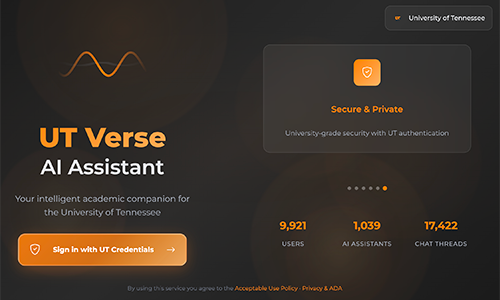
UT Verse is available to faculty, staff, and students, and using it does not consume your monthly AI Hub allowance.
UT Verse is a good place to start for:
- Brainstorming ideas
- Creating outlines
- Drafting or revising content
- Planning projects
- Summarizing information
- Asking general questions
- Working through ideas
If UT Verse can do what you need, use it. Save your AI Hub allowance for times when you require a specific model.
Learn more about UT Verse | Sign in to UT Verse at utverse.tennessee.edu.
2. Don’t use the most expensive model for everything.
When you do use the AI Hub, it’s important to note that each AI model uses your allowance at different rates.
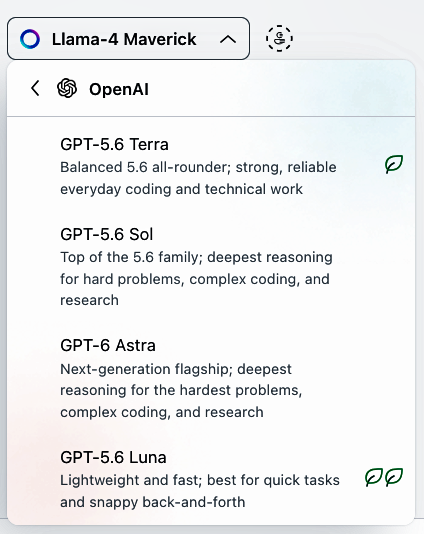
The most powerful or expensive model isn’t automatically the best for every task. A less expensive model may work perfectly well for writing an email, brainstorming ideas, creating an outline, or summarizing a document. Save more capable and expensive models for more difficult tasks, such as complex reasoning, detailed analysis, or multi-step problems.
A practical rule of thumb when choosing between UT AI Hub models:
- If you want to minimize usage, choose Llama, Grok, Gemini Flash, or GPT‑4o mini.
- If you want maximum reasoning, but higher usage impact, choose Claude Opus, GPT‑4-class models, or Gemini Ultra.
Learn more about models available in the UT AI Hub.
3. Give AI what it needs the first time.
A vague prompt often creates more work.
Instead of “Make this better,” try: “Rewrite this email for faculty and staff. Keep it friendly and professional, use plain language, and keep it under 150 words.”
Tell the AI what you’re trying to accomplish, who the audience is, what you want back, and any important restrictions. Providing more information in your initial prompt can reduce unnecessary back-and-forth.
4. Don’t start over when you’re almost there.
If an answer is close to what you need, don’t automatically generate an entirely new response.
Tell the AI exactly what needs to change, such as “Keep the first two paragraphs, shorten the third paragraph, and rewrite the ending to make it more direct.”
Another complete answer isn’t always necessary if you just need to edit one section.
5. Give AI only what it needs.
More isn’t always better.
If you are working with a 50-page document, but only need help with one part, tell AI which sections are relevant. If you only need to analyze three columns from a spreadsheet, don’t ask it to analyze everything.
Think about the question you’re trying to answer, then give the AI the information it actually needs to answer it.
6. Keep an eye on your allowance.
Check your AI Hub usage periodically instead of waiting until you’re almost out.
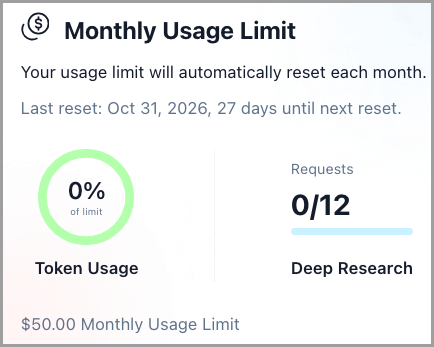
The Hub displays your usage as a percentage of your monthly allowance. If you’ve used $25 of a $50 allowance, for example, you’ll see 50% usage.
If that number is climbing faster than expected, try shifting more of your everyday AI work to UT Verse and saving the AI Hub for tasks that need a specific model.
What if $50 isn’t enough?
Sometimes conserving your allowance isn’t the answer. You may simply have a job, project, or research need that requires more AI usage.
- Departments can fund additional AI Hub allowances annually for users who need more than the standard amount. Allowance increases require approval from a Dean, Director, or Department Head. Submit your request online.
- If you find yourself using Claude within the AI Hub for more difficult tasks, such as complex reasoning, detailed analysis, or multi-step problems, consider purchasing an Anthropic for Education license instead of increasing your AI Hub allowance.
The goal isn’t to use AI less. It’s to use the AI tools available at UT wisely. Start with UT Verse for everyday AI tasks; use the AI Hub when you need additional models; choose the right model for the job; and keep an eye on your usage. If you’re not sure which tool to use, are concerned about your AI Hub allowance, or have other questions about AI at UT, reach out to OneIT. We’re happy to help.