
 Explore
 Write
Write Chat
Chat Call
Call
Computer Labs
Mobile Print
Service navigation
Architecture students: In order to use the CoAD printers, please install the OIT BW wireless print queue using the instructions for small format printers.
How to print from your device using MyPrint
MyPrint is a mobile printing service within VolPrint that allows devices like laptops, tablets and phones to send jobs to most VolPrint printers.
- Log into myprint.utk.edu using your NetID and password.
- Click the Upload button and navigate to the files to be uploaded for print.
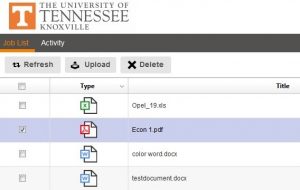
- Check the box next to the job to print.
- Set Print options
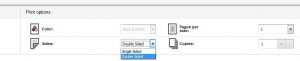
Note: for color printing, ensure color has been selected in the Print options.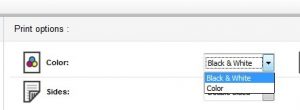
- In the magnifying glass, enter the desired print locations (i.e. Commons, Reference, Tickle) and select a printer.
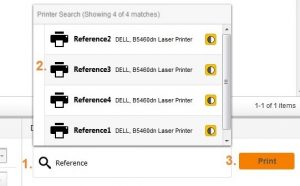
A confirmation page will appear.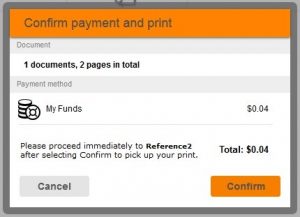
- Click Confirm and go to the designated printer to pick up your print.